
Are you on the hunt for the best Elastic Email alternatives in 2026? While Elastic Email has served plenty of businesses well as an affordable email marketing and transactional tool, it comes with real trade-offs. Between shared-IP deliverability risk, a capped automation builder, and support that’s email-only on lower tiers, more users are realizing they need an Elastic Email alternative that fits their needs as they scale.
That’s where this guide comes in. We’ve researched and verified the 10 best alternatives to Elastic Email, pulling pricing and features straight from each provider’s current homepage and pricing page rather than relying on outdated comparisons. Each platform brings its own strengths, whether that’s an all-in-one marketing suite, a developer-first API, or a genuinely budget-friendly plan, so you’ll come away knowing exactly which one fits your goals.
This guide is built for business owners, marketers, developers, and agencies who want an email platform that’s reliable, scalable, and actually matches how they send. By the end, you’ll know exactly which Elastic Email competitor is worth switching to, and just as importantly, which one isn’t.
TL;DR on Elastic Email Alternatives
- Elastic Email was founded in 2010 and prices at roughly $0.09 to $0.10 per 1,000 emails, making it one of the cheapest email platforms on the market.
- Deliverability inconsistency, not pricing, is the most frequently cited reason users look for an Elastic Email alternative, since shared IP pools mean your sender reputation partly depends on who else is sending from the same pool.
- This guide compares 10 Elastic Email alternatives using a four-layer framework, the Elastic Email Switch Decision Stack, covering deliverability model, migration cost, equal-volume pricing, and an honest stay-or-switch test.
- Every tool’s pricing and feature claims in this guide are pulled directly from each provider’s live homepage and pricing page rather than carried over from older comparisons, since plans and features change frequently.
- Limited automation triggers, no AMP or interactive email support, and support available only by email on lower tiers are three of the most consistently reported gaps in Elastic Email’s marketing toolset.
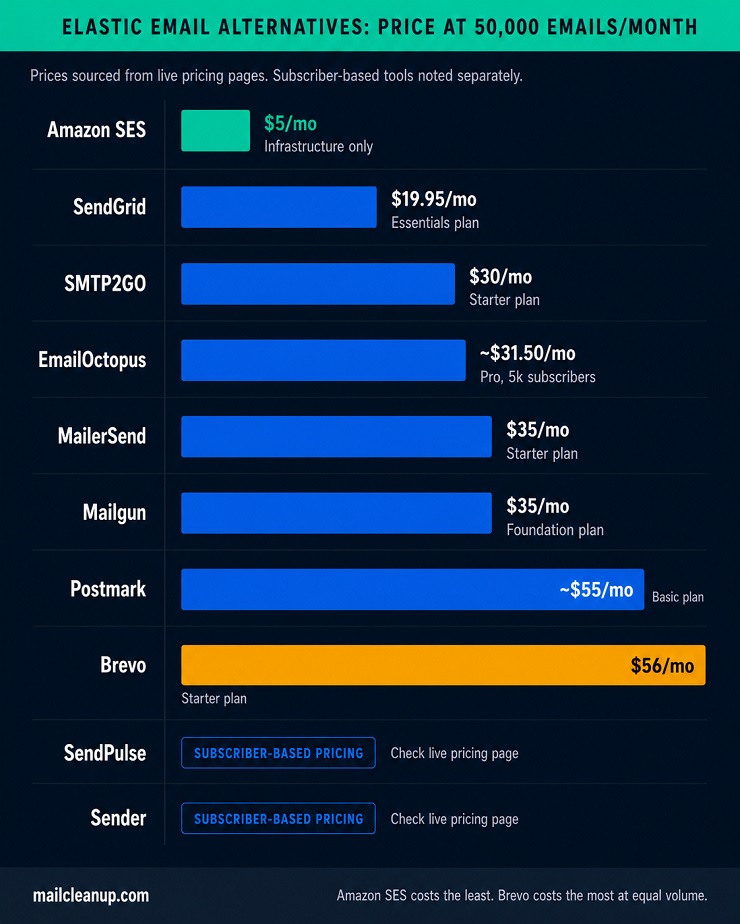
- Every alternative in this guide is priced out at the same 50,000-email-per-month volume so the comparison is apples to apples rather than mixing different baseline volumes.
- Migration complexity varies by tool and is shaped mainly by API and SMTP compatibility, EU data residency support, and how easily existing templates port over.
- Not every business needs to switch. This guide includes a dedicated test for when staying with Elastic Email is still the right call, based on budget sensitivity, dedicated IP needs, and how deliverability-critical your sending actually is.
Why Look for an Elastic Email Alternative?
Elastic Email earns its loyal user base on price alone. At close to a tenth of a cent per email, it is hard to beat on a pure cost basis, and that affordability is exactly why so many small businesses and developers pick it up in the first place. But affordability and fit are different things, and a growing number of users are actively researching Elastic Email alternatives once their sending needs outgrow what the platform was built for.
The most consistently reported issue is deliverability, and it comes down to infrastructure rather than bad luck. Elastic Email runs primarily on shared IP pools, which means your inbox placement is partly tied to the sending behavior of other customers using the same pool. You can run a clean list and still see inconsistent results if your neighbors on that IP are sloppier senders. This is the same shared-reputation risk we cover in more depth in our guide to email sender reputation, and it is the single biggest factor separating the alternatives that vet their customers from the ones that do not.
The second pattern is a ceiling on marketing sophistication. Elastic Email’s automation builder supports only four trigger types, which is workable for a basic welcome sequence but becomes limiting fast once you want branching logic or behavior-based journeys. The platform also has no support for AMP or other dynamic, interactive content inside emails, so anything beyond a static template requires a different tool entirely. Several of the alternatives later in this guide close that gap directly.
A few other recurring complaints round out the picture:
- Support is email-only on lower-tier plans, with no live chat or phone option, which becomes a real problem when a deliverability issue needs same-day attention.
- The drag-and-drop editor, form builder, and landing page builder are all functional but offer limited customization compared to newer competitors.
- Integration coverage thins out once you move past the most common CRMs and ecommerce platforms.
None of this makes Elastic Email a bad platform. It makes it a budget-and-API-first platform, and the alternative that’s right for you depends on which of these specific gaps actually affects your sending. That’s the question this guide is built to answer, not just “what’s better” in the abstract, but which alternative to Elastic Email fits the way you actually send email. For a broader look at what separates strong and weak deliverability setups generally, our guide on ways to improve email deliverability is a useful companion to this one.
How We Compared These Elastic Email Alternatives: The Switch Decision Stack
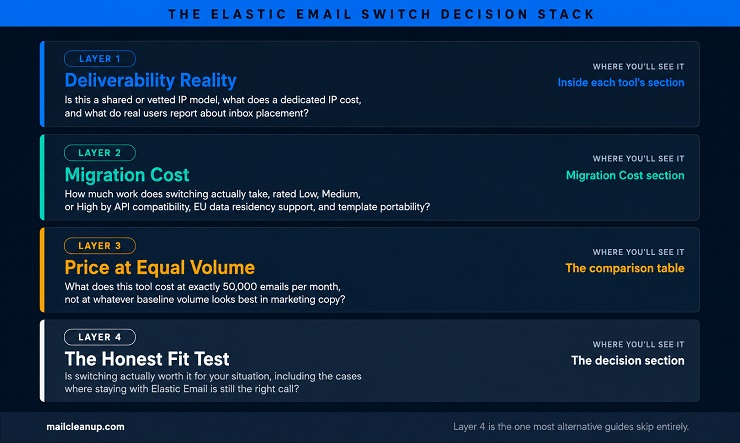
Most Elastic Email alternative roundups rank tools on feature lists alone. That tells you what a platform can do, but not what it actually costs you to find out, in money, in migration effort, or in deliverability risk during the switch itself. So every tool in this guide gets evaluated against the same four-layer framework, the Elastic Email Switch Decision Stack, and each layer answers a specific question rather than serving as a vague category label.
| Layer | What it actually answers | Where you’ll see it |
|---|---|---|
| 1. Deliverability Reality | Is this a shared or vetted IP model, what does a dedicated IP cost if you need one, and what do real users report about inbox placement | Inside each tool’s individual section below |
| 2. Migration Cost | How much work does switching actually take, rated Low, Medium, or High based on API/SMTP compatibility, EU data residency support, and template portability | Its own dedicated section later in this guide |
| 3. Price at Equal Volume | What does this tool cost at the exact same sending volume as every other tool, not at whatever baseline volume looks best in marketing copy | The comparison table |
| 4. The Honest Fit Test | Is switching actually worth it for your specific situation, including the cases where staying with Elastic Email is still the right call | The decision section near the end of this guide |
Comparison Table of Elastic Email Alternatives (Priced at the Same Volume)
| Tool | IP Model | Dedicated IP | Price at 50k Emails/Month | Free Plan | Best For |
|---|---|---|---|---|---|
| Brevo | Shared | $251/year add-on | $56/month (Starter) | 300 emails/day, unlimited contacts | Multichannel marketing and CRM |
| MailerSend | Shared | Enterprise accounts only | $35/month (Starter) | 500 emails/month, dev use only | Developer transactional email |
| SendPulse | Shared | Premium and Enterprise plans | Subscriber-based (check live page) | 15,000 emails/month, 500 subscribers | Multichannel marketing and chatbots |
| EmailOctopus | Managed shared | Not available | ~$31.5/month (Pro, 5,000 subscribers) | 10,000 emails/month, 2,500 subscribers | Budget email-only campaigns |
| SMTP2GO | Shared, dedicated at 100k+ | Included at 100k+; $19/IP/month extra | $30/month (Starter) | 1,000 emails/month | Reliable SMTP relay |
| SendGrid | Shared (Essentials), 1 dedicated (Pro) | Included on Pro at $89.95/month | $19.95/month (Essentials) | 60-day trial only (permanent free retired May 2025) | API-first scale sending |
| Sender | Shared | On request for 500k+ senders | Subscriber-based (check live page) | 15,000 emails/month, 2,500 subscribers | Budget marketing automation |
| Mailgun | Shared, dedicated at 100k+ | Included at 100k+; $59/IP/month extra | $35/month (Foundation) | 100 emails/day | Developer API and EU data residency |
| Postmark | Vetted shared | $50/month, 300k+ emails required | ~$55/month (Basic) | 100 emails/month, never expires | Transactional speed and reliability |
| Amazon SES | Shared | $24.95/IP/month standard | $5/month | $200 AWS credit for new accounts | Lowest cost at any volume |
Exploring All 10 Best Elastic Email Alternatives In Detail
Every tool below is a genuine Elastic Email alternative we researched directly from its current homepage and pricing page, not carried over from an older comparison. These are the 10 Elastic Email alternatives worth your time in 2026, and each entry includes its deliverability model, since that’s the factor most likely to determine whether switching actually solves the problem you came here with.
1. Brevo: An Elastic Email Alternative for All-in-One Multichannel Marketing
Brevo, formerly known as Sendinblue, is the broadest platform on this list. Where Elastic Email focuses narrowly on email and transactional sending, Brevo bundles email, SMS, WhatsApp, live chat, and a basic CRM into one account, which makes it a strong Elastic Email alternative for teams that want to consolidate tools rather than add another single-purpose one.
Deliverability model: shared IP by default, with a dedicated IP available as a paid add-on on the Professional plan for $251 per year, and included automatically on Enterprise.
Pros of Brevo
- A genuinely usable free plan, 300 emails a day forever, with no credit card required.
- Multichannel campaigns from one dashboard, email, SMS, WhatsApp, and live chat, without separate logins or billing.
- Marketing automation and A/B testing arrive on the Standard plan, not locked behind an enterprise tier.
- Send-based pricing rather than contact-based, which rewards infrequent senders with large lists.
- A built-in CRM and sales pipeline tools for teams that want to connect marketing and sales without a third platform.
Cons of Brevo
- Removing the “Sent with Brevo” footer on the entry-level Starter plan costs an extra $10.80 a month, which catches a lot of new users off guard.
- The jump from the Standard plan to Professional is steep, since Professional requires a 150,000-email-per-month minimum.
- Free-tier senders run on shared IP pools with limited reputation control, and support on that tier is email-only.
Pricing of Brevo
- Free: 300 emails/day forever, up to 100,000 contacts stored, no credit card required.
- Starter: from $9/month for 5,000 emails/month, no daily send cap.
- Standard: from $18/month for 5,000 emails/month, adds marketing automation, A/B testing, and landing pages.
- Professional: from $499/month for 150,000+ emails/month, adds phone support and a deliverability specialist.
- Enterprise: custom pricing, includes one dedicated IP.
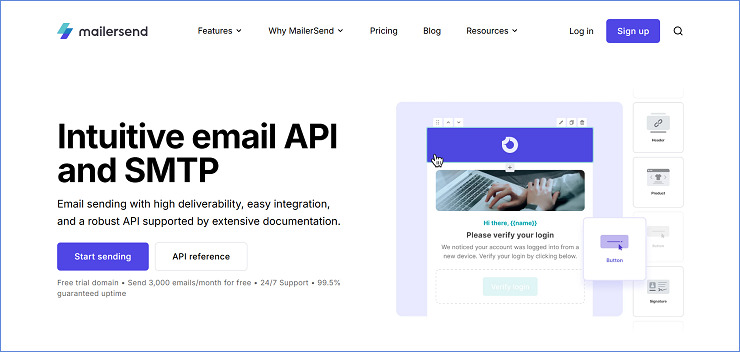
2. MailerSend: A Developer-First Elastic Email Alternative for Transactional Email
MailerSend leans hard into the developer side of the market, with clean APIs, webhooks, and SMTP relay built for teams sending order confirmations, password resets, and other transactional messages at scale. It’s worth knowing upfront that MailerSend restructured its entry-level pricing on December 2, 2025, so older reviews and comparisons referencing its previous free tier are now out of date.
Deliverability model: shared IP by default, with dedicated IPs reserved for Enterprise accounts sending over 100,000 emails a week. MailerSend also runs a strict spam-complaint policy, accounts can be suspended after a small number of complaints relative to volume sent, which protects the shared pool’s reputation but has drawn criticism from some users caught by it. That tradeoff is worth understanding before you commit, and it’s the same shared-reputation dynamic we cover in our guide to what are spam traps.
Pros of MailerSend
- True pay-per-email pricing with no contact limits, which suits SaaS platforms whose customer databases grow faster than their email volume.
- Clean, well-documented APIs and webhooks built specifically for developers integrating transactional sending.
- Metered overage billing rather than a hard cutoff, so transactional emails keep sending even past your plan’s allowance.
- Both Hobby and Starter plans include up to 5 user seats, with unlimited seats on Professional and Enterprise.
Cons of MailerSend
- The December 2025 restructure shrank the free tier significantly, from a usable production-volume Hobby plan down to a 500-email development-only tier with a 100-email daily cap.
- A credit card is required even for the free tier.
- The account-suspension policy around spam complaints has generated real user frustration, particularly for accounts with otherwise low complaint rates.
Pricing of MailerSend
- Free: 500 emails/month, 100/day cap, development and testing use only.
- Hobby: $7/month for 5,000 emails/month.
- Starter: from $35/month for 50,000 emails/month.
- Professional: from $110/month for 50,000 emails/month, adds sender identities, live chat support, and 24/7 coverage.
- Enterprise: custom pricing, includes dedicated IPs for accounts sending 100,000+ emails/week.
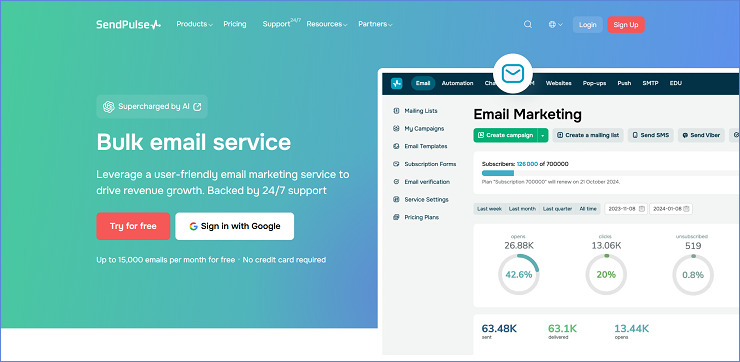
3. SendPulse: A Multichannel Elastic Email Alternative With Chatbots and SMS
SendPulse goes furthest of any tool on this list in terms of channel breadth, combining email with SMS, web push, and chatbot builders for WhatsApp, Telegram, Messenger, and Viber. If Elastic Email’s single-channel focus has been limiting how you reach customers, SendPulse is built specifically to close that gap. Like several tools on this list, its pricing changed recently too, SendPulse raised rates across most plans starting March 2, 2026, so current pricing should always be checked against the live SendPulse pricing page rather than older screenshots.
Deliverability model: shared infrastructure on lower tiers, with dedicated IPs and enhanced deliverability tools available on Premium and Enterprise plans.
Pros of SendPulse
- One of the most generous free tiers in this guide, 15,000 emails a month at no cost.
- Genuine multichannel reach, email, SMS, push, and chatbots, all built into a single automation workflow builder.
- Both subscription and pay-as-you-go pricing models are available, which suits irregular senders as well as predictable ones.
- 24/7 support is included even on lower tiers, unlike several competitors that gate support by plan.
Cons of SendPulse
- User reviews frequently mention confusion around the pricing structure, particularly how subscriber tiers and pay-as-you-go credits interact.
- The interface can feel dated and occasionally overwhelming given how many features are packed into one dashboard.
- The March 2026 price increase affected most plan tiers, so budget assumptions based on older pricing need rechecking.
Pricing of SendPulse
- Free: $0/month, up to 15,000 emails/month, 500 subscribers.
- Standard: from $8.40/month, scales with subscriber count.
- Pro: from $10.08/month, adds dynamic segmentation, re-engagement automation, and email verification.
- Enterprise: from $44.69/month, requires a minimum of 2,500 contacts, adds unlimited everything and dedicated IP access.
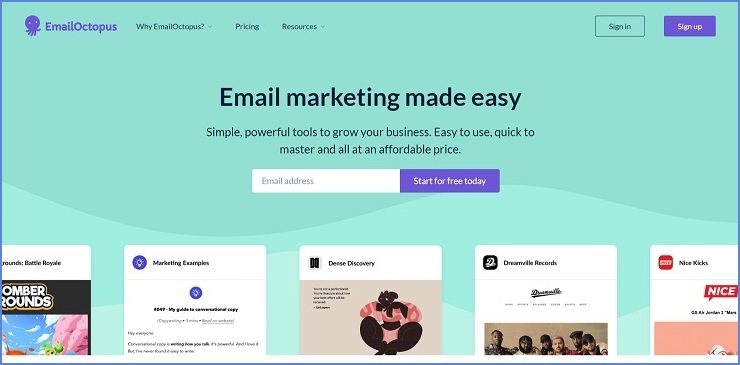
4. EmailOctopus: A Lean, Email-Only Elastic Email Alternative Built on Amazon SES
EmailOctopus takes the opposite approach from Brevo and SendPulse. Instead of bundling in SMS, chatbots, and CRM tools, it focuses entirely on email and keeps pricing low by doing so, originally building its infrastructure on Amazon SES. That makes it one of the more budget-friendly Elastic Email alternatives for senders who specifically don’t want to pay for channels they won’t use.
Deliverability model: EmailOctopus runs its own managed sending infrastructure by default, but also offers EmailOctopus Connect, which lets technical users route sending through their own Amazon SES account for lower costs at higher volume and direct control over that infrastructure’s reputation.
Pros of EmailOctopus
- The free plan is genuinely usable for small senders, 2,500 subscribers and 10,000 emails a month, not a crippled trial.
- Pricing is transparent and scales predictably with subscriber count, with no surprise overage fees.
- Multiple reviewers specifically call out strong deliverability and responsive, human support.
- EmailOctopus Connect gives technical teams a path to Amazon SES pricing without losing the EmailOctopus interface.
Cons of EmailOctopus
- The drag-and-drop editor is regularly described by reviewers as restrictive, with limited column options and no undo function.
- Automation is genuinely basic, welcome sequences and drip campaigns, with nothing approaching the branching logic some competitors offer.
- No SMS, chatbot, or CRM functionality at all, which is a deliberate tradeoff but a real limitation if you need those channels later.
- Contacts are counted per list rather than per account, so duplicate contacts across multiple lists can inflate your bill unexpectedly.
Pricing of EmailOctopus
- Free: up to 2,500 subscribers and 10,000 emails/month, EmailOctopus branding included, 30-day report history.
- Pro: from $10/month (billed annually) for 500 subscribers and 10,000 emails/month, scales with subscriber count, removes branding, unlimited automations.
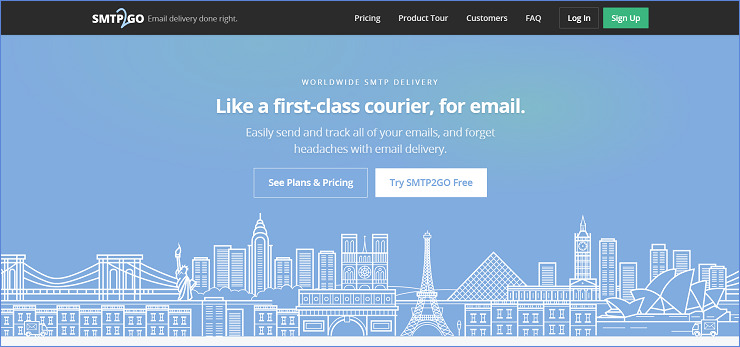
5. SMTP2GO: A Deliverability-First Elastic Email Alternative for Reliable Sending
SMTP2GO has been operating since 2006 and now handles outgoing mail for more than 35,000 senders, with infrastructure deliberately spread across multiple regions for redundancy. Unlike most tools on this list, it doesn’t try to be a marketing platform at all, there’s no campaign designer or automation builder. It’s purpose-built as reliable sending infrastructure, which makes it a strong Elastic Email alternative specifically for teams whose primary complaint with Elastic Email was inconsistent delivery rather than a lack of marketing features.
Deliverability model: shared IP on Starter, with a dedicated IP included automatically on Professional and Premier plans (100,000+ emails/month).
Pros of SMTP2GO
- A long operating history and large sender base suggest genuine infrastructure stability rather than a newer, unproven platform.
- Dedicated IP is included rather than a costly add-on once you reach the Professional tier.
- Global server distribution and constant blocklist monitoring are built into the core service, not an upsell.
- Support includes phone access even on paid entry-level plans, not just chat or ticket-based help.
Cons of SMTP2GO
- There’s no marketing campaign builder, template editor, or automation workflow tool at all, so you’ll need a separate platform if you want both transactional and marketing sending in one place.
- The free plan’s verified-domain limits are restrictive for anyone managing multiple sending sources.
- Several reviewers note pricing has shifted in the past year, so it’s worth confirming current rates directly before budgeting.
Pricing of SMTP2GO
- Free: $0/month, 1,000 emails/month, 200/day cap.
- Starter: from $15/month for 10,000 emails/month.
- Professional: $75/month for 100,000 emails/month, includes a dedicated IP and email testing tools.
- Premier: custom pricing for 3,000,000+ emails/month.
6. SendGrid: An Established Elastic Email Alternative for API-First Sending at Scale
SendGrid, now owned by Twilio, is one of the most established names in this list, with broad documentation, SDKs in every major language, and a sending track record most developers have already encountered somewhere. It’s worth knowing that Twilio retired SendGrid’s permanent free plan on May 27, 2025. New accounts now get a 60-day trial instead, after which a paid plan is required to keep sending.
Deliverability model: shared IP on the Essentials plan, with one dedicated IP included on Pro. SendGrid also splits billing into two separate tracks, Email API (priced by volume) and Marketing Campaigns (priced by contact count), which catches some new users off guard when they expect one bill and get two.
Pros of SendGrid
- Mature, extensively documented APIs with official libraries for nearly every major programming language.
- Both transactional and marketing email live in the same account, useful for teams that don’t want to manage two separate vendors.
- Detailed deliverability analytics, including bounce, spam complaint, and click tracking, with real-time webhooks.
- A large enough install base that most developers troubleshooting an integration can find existing community answers.
Cons of SendGrid
- The loss of the permanent free tier in 2025 means there’s no longer a true free option for ongoing low-volume production use, only a time-limited trial.
- The jump from Essentials to Pro is steep, roughly 4.5 times the price for double the email volume plus a dedicated IP.
- Support quality has drawn consistent criticism since the Twilio acquisition, with several reviewers citing slow response times on deliverability issues specifically.
- Running both Email API and Marketing Campaigns means tracking two separate volume limits and two separate bills.
Pricing of SendGrid
- Free Trial: 100 emails/day for 60 days, then requires upgrade.
- Essentials: from $19.95/month for 50,000 emails/month.
- Pro: from $89.95/month for 100,000 emails/month, includes one dedicated IP.
- Premier: custom pricing for high-volume senders.
7. Sender: A Budget-Friendly Elastic Email Alternative With a Generous Free Tier
Sender positions itself directly against the bigger, pricier platforms, and its free plan reflects that: 2,500 subscribers and 15,000 emails a month at no cost, more generous than several paid entry tiers elsewhere on this list. If Elastic Email’s pricing has felt tight relative to what you actually need, Sender is one of the more aggressively priced Elastic Email alternatives here.
Deliverability model: shared IP on Free and Standard plans. Sender recommends a dedicated IP for senders above 500,000 emails a month and sets this up on request rather than as a self-service toggle.

Pros of Sender
- One of the most generous free tiers in this guide, with full feature access rather than a stripped-down trial.
- Both monthly subscription and pay-as-you-go credit pricing are available, suiting irregular senders.
- Paid plans scale through send multipliers, the Standard plan includes roughly 12 times your contact count in monthly emails, Professional roughly 24 times, which gives automation-heavy senders real headroom.
- Reviewers consistently highlight strong deliverability and fast live chat support, even on the free plan.
Cons of Sender
- The pay-as-you-go credit system is reported by some reviewers as confusing relative to straightforward monthly billing.
- A/B testing capabilities are described as basic compared to more mature platforms on this list.
- No built-in CRM, so teams wanting to connect marketing and sales data will need a separate tool.
Pricing of Sender
- Free Forever: 2,500 subscribers, 15,000 emails/month, full feature access.
- Standard: from $10/month, includes roughly 12x your contact count in monthly email allowance.
- Professional: from $20/month, includes roughly 24x your contact count in monthly email allowance.
- Enterprise: custom pricing for large lists and dedicated IP needs.
8. Mailgun: A Stable, Developer-Focused Elastic Email Alternative With EU Data Residency
Mailgun has held its pricing essentially unchanged since 2018, which is rare in this market and worth knowing if predictable long-term cost matters to you. Like Elastic Email, it’s built for developers rather than marketers, with no campaign builder or drag-and-drop editor. Where it goes further is regional choice, Mailgun lets you send through either a US or EU-hosted account from the same platform.
Deliverability model: shared IP pools on Basic and Foundation, with one dedicated IP included automatically once you reach the Foundation 100k tier or above, and additional IPs available at $59/month each.
Pros of Mailgun
- Pricing has been notably stable for years, which makes long-term budgeting more predictable than with platforms that have changed tiers or rates recently.
- EU and US sending regions are both available from a single account, useful if data residency matters to your customers.
- Reputation Monitoring automatically tracks bounces, unsubscribes, and complaints and keeps them out of future sends.
- Every plan above Basic allows unlimited team members at no extra cost.
Cons of Mailgun
- There’s no marketing email functionality at all, so teams needing newsletters or campaigns will need a second platform.
- The free tier’s 100-email daily cap and single sending domain make it suitable only for early testing, not production use.
- Overage charges range from $0.60 to $1.80 per 1,000 emails depending on tier, and can add up quickly if volume is underestimated.
- Email validation is billed separately and can get expensive for teams managing large, frequently changing lists.
Pricing of Mailgun
- Free: 100 emails/day, 1 sending domain, 1 API key.
- Basic: $15/month for 10,000 emails/month, no daily cap.
- Foundation: $35/month for 50,000 emails/month, adds templates and 1,000 sending domains.
- Scale: $90/month for 100,000 emails/month, includes a dedicated IP, send time optimization, and live chat.
- Enterprise: custom pricing for 2,500,000+ emails/month.
9. Postmark: A Strict, Deliverability-Obsessed Elastic Email Alternative for Transactional Email
Postmark built its entire reputation on one thing, getting transactional email into the inbox fast and reliably. It enforces a complaint threshold roughly three times stricter than the industry standard and actively removes senders who violate it, which keeps its shared IP pool’s reputation unusually clean. That’s the real mechanism behind the deliverability reputation Postmark is known for, not just marketing language.
Deliverability model: shared, tightly vetted IP pools by default. Dedicated IPs are available on Pro and Platform plans for $50/month, but only once you’re sending 300,000+ emails a month, since Postmark’s own data shows shared IPs perform just as well below that volume.

Pros of Postmark
- Independent deliverability benchmarks consistently rank Postmark near the top for inbox placement speed and consistency.
- Transactional and broadcast (bulk/marketing) emails run on completely separate sending streams, so a bad marketing send can’t damage your password-reset deliverability.
- Support response time is under 3 hours across every tier, including the free plan, unlike most competitors that gate fast support behind higher pricing.
- The free Developer tier never expires and includes full API access, useful for ongoing low-volume testing.
Cons of Postmark
- No marketing automation or campaign builder at all, Postmark is strictly transactional and broadcast.
- The strict complaint policy that protects deliverability also means accounts can be suspended quickly if your complaint rate creeps up, which has frustrated some users.
- There’s no spending cap by default, so a bug that triggers a sending spike can generate a large unexpected bill.
- No annual billing option, every plan is billed monthly only.
Pricing of Postmark
- Free Developer: 100 emails/month, never expires, no overages allowed.
- Basic: $15/month for 10,000 emails/month, $1.80 per 1,000 overage.
- Pro: $16.50/month for 10,000 emails/month, $1.30 per 1,000 overage, dedicated IP eligible at 300,000+ emails/month.
- Platform: $18/month for 10,000 emails/month, $1.20 per 1,000 overage, unlimited users and sending domains.
10. Amazon SES: The Cheapest Elastic Email Alternative for Teams With AWS Expertise
Amazon SES is raw email sending infrastructure rather than a managed platform, and it shows in the price. At $0.10 per 1,000 emails with no monthly minimum, it’s dramatically cheaper than every other tool in this guide at any meaningful volume. The tradeoff is that you’re responsible for everything a managed service normally handles for you, suppression lists, bounce processing, and reputation monitoring all need to be built yourself.
Deliverability model: shared IP by default, with standard dedicated IPs available at $24.95/month per IP, or a managed dedicated IP option at $15/month plus tiered per-email fees starting at $0.08 per 1,000. New accounts start in sandbox mode and can only send to verified addresses until AWS approves a production access request, which typically takes 24 to 48 hours.
Pros of Amazon SES
- By far the lowest per-email cost in this guide, often 3 to 30 times cheaper than managed alternatives at meaningful volume.
- No monthly minimum or contract, you pay only for what you send.
- Multi-region availability, including EU options, with cost identical across regions.
- Deep integration with the rest of AWS for teams already running infrastructure on Lambda, EC2, or similar services.
Cons of Amazon SES
- There’s no built-in suppression list interface, template previewer, or campaign analytics dashboard, you’re building or buying that tooling separately.
- New accounts require a manual production access request before they can send to unverified addresses, adding setup time.
- AWS changed the free tier structure on July 15, 2025, new customers now receive a $200 AWS credit instead of the previous 3,000-free-messages-a-month allowance.
- Accounts can be auto-suspended if bounce rates exceed roughly 5 to 10 percent, with no warning before the pause takes effect.
- Requires genuine AWS operational knowledge, IAM credentials, SNS for bounce handling, and CloudWatch for monitoring aren’t optional extras, they’re how the service works.
Pricing of Amazon SES
- Pay-as-you-go: $0.10 per 1,000 emails sent, no monthly fee.
- Free tier: $200 in AWS credits for new accounts (as of July 15, 2025), or 3,000 free message charges/month for 12 months on older accounts.
- Standard dedicated IP: $24.95/month per IP.
- Managed dedicated IP: $15/month plus $0.08 per 1,000 emails up to 10 million/month, with lower tiered rates above that.
Migration Cost and Effort: What Switching to an Elastic Email Alternative Actually Takes
Every one of these Elastic Email alternatives will eventually ask you the same question: how much work is the switch really going to be? That answer depends on four concrete factors, not a vague sense of how “easy” a platform looks in a demo.
API and SMTP compatibility: Tools that support standard SMTP relay alongside a REST API, MailerSend, SMTP2GO, Mailgun, Postmark, Amazon SES, let you keep your existing send logic mostly intact and swap credentials. Platforms built primarily around their own proprietary automation builder, like Brevo or SendPulse, take longer if your current setup leans on Elastic Email’s API directly rather than a plugin or integration.
EU data residency: If your business has customers or compliance requirements tied to EU data handling, this narrows the field. Mailgun explicitly supports sending through either a US or EU-hosted account from the same platform. Amazon SES offers EU regions (Ireland, Frankfurt, and others) at identical pricing to US regions. Several other tools on this list don’t make an explicit EU/US choice publicly available, so confirm directly with the vendor if this is a requirement before committing.
Template portability: Drag-and-drop templates rarely transfer cleanly between platforms. Tools with HTML import support, EmailOctopus, Brevo, SendPulse, let you bring existing HTML templates over with manual cleanup rather than a full rebuild. Code-first platforms like Mailgun, Postmark, and Amazon SES expect templates to be managed in your own codebase already, which is actually faster to migrate if that’s already your setup, and slower if it isn’t.
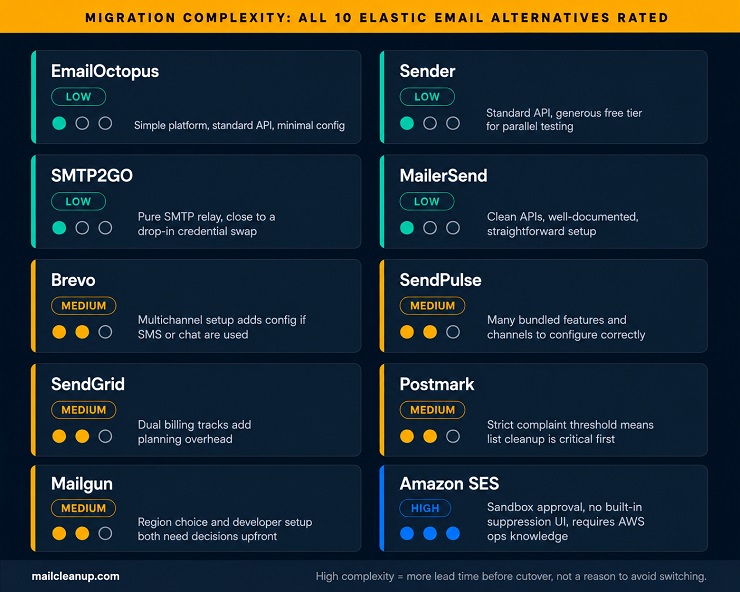
Migration complexity by tool, rated Low, Medium, or High:
| Tool | Complexity | Why |
|---|---|---|
| EmailOctopus | Low | Simple platform, standard API, minimal configuration |
| Sender | Low | Standard API/SMTP, generous free tier for parallel testing |
| SMTP2GO | Low | Pure SMTP relay, close to a drop-in replacement |
| MailerSend | Low | Clean, well-documented APIs, straightforward setup |
| Brevo | Medium | Multichannel setup (SMS, WhatsApp) adds configuration if those channels are used |
| SendPulse | Medium | Many bundled features and channels to configure correctly |
| SendGrid | Medium | Dual billing tracks (Email API and Marketing Campaigns) add planning overhead |
| Postmark | Medium | Strict complaint threshold means careful list cleanup matters before cutover |
| Mailgun | Medium | Developer-first setup, region choice is an extra decision point |
| Amazon SES | High | Sandbox approval process, no built-in suppression UI, requires real AWS knowledge |
A general migration checklist that applies across most of these tools:
- Authenticate your new sending domain with SPF and DKIM, and add DMARC if you don’t already have a policy in place.
- Clean your list before importing it, removing known bounces, complaints, and role-based addresses rather than carrying old problems into a new platform.
- Rebuild or import your highest-value templates and automations first, welcome sequences and transactional confirmations before anything lower priority.
- Run a staggered cutover, moving low-risk transactional flows first, then bulk or marketing sends once you’ve confirmed deliverability looks healthy.
- Warm up any new IP or domain gradually rather than sending full volume on day one, particularly important on platforms where a dedicated IP is part of the switch.
- Monitor bounce rates, spam complaints, and inbox placement daily for the first two to three weeks, since this is when a misconfiguration is most likely to surface.
How to Choose the Best Elastic Email Alternative
Ten tools, four layers of the Switch Decision Stack, and one Migration Cost table is a lot of ground to cover. So before you decide, here is where each decision actually sits in practice. These factors narrow the field faster than feature comparisons.
What you primarily need to send: Transactional email, meaning password resets, receipts, and notifications, and marketing email, meaning newsletters, campaigns, and automations, are different jobs that some tools separate deliberately. Postmark keeps them on isolated streams to protect deliverability. Amazon SES handles both but provides no campaign tooling. Brevo, SendGrid, SendPulse, and Sender handle both under one account. If you only need one, pick a specialist. If you need both, pick a platform that separates the streams so a bad campaign run can’t damage your transactional reputation.
Your volume and whether a dedicated IP matters: At under 50,000 emails a month, a well-maintained shared IP pool from a vetted provider like Postmark or SMTP2GO typically performs as well as a dedicated one. Above 100,000 emails a month, the case for a dedicated IP strengthens. Most tools on this list include one automatically above that threshold. Below it, paying for a dedicated IP add-on often costs more than the deliverability benefit justifies.
Whether your team is developer-led or marketer-led: Mailgun, Postmark, MailerSend, and Amazon SES are built for developers first, with APIs, webhooks, and detailed logs as the primary interface. Brevo, Sender, SendPulse, and EmailOctopus are built for marketers first, with visual campaign builders and drag-and-drop editors front and center. SendGrid does both but prices them separately, which adds planning overhead.
EU data residency: If your customers or compliance requirements tie data to EU processing, this narrows the field immediately. Mailgun explicitly supports EU-hosted accounts. Amazon SES offers EU regions at identical pricing. For other tools on this list, confirm directly with the vendor before committing.
The Layer 4 Honest Fit Test: when to stay with Elastic Email, and when to switch to one of its alternatives
| Situation | Stay with Elastic Email if… | Switch to an Elastic Email alternative if… |
|---|---|---|
| Budget is the primary constraint | You’re sending under 50,000 emails/month with no deliverability complaints | Inbox placement issues are costing more in lost revenue than an upgrade would cost |
| Shared IP deliverability | Your sending reputation is consistently clean and placement is stable | Placement fluctuates without a clear cause and you can’t isolate it to list quality |
| Dedicated IP need | Shared IPs are performing well and your volume is under 100,000/month | You need strict reputation isolation and are sending at a volume that justifies the cost |
| Marketing automation depth | Four trigger types cover your current welcome and drip use cases | You need branching logic, behavior-based journeys, or AMP email support |
| Multichannel sending | Email-only meets all your current customer communication needs | You want SMS, chatbots, or WhatsApp alongside email without adding a separate tool |
| Support urgency | Support tickets have been resolved within an acceptable time for your use case | A deliverability issue requires same-day attention via live chat or phone |
Picking the Right Elastic Email Alternative for Your Situation
The Elastic Email alternatives in this guide cover a real range, from the lowest-cost infrastructure on the market to the strictest transactional delivery, from single-channel simplicity to full multichannel suites. The right pick isn’t the one with the most features or the lowest headline price. It’s the one that fixes the specific gap that brought you here.
If deliverability inconsistency is the problem, Postmark’s vetted IP model and Mailgun’s stable infrastructure both address it more directly than a feature-rich platform with a shared pool you have less visibility into. If automation depth is the ceiling you’re hitting, Brevo or SendPulse give you more trigger types, branching logic, and channel options than Elastic Email’s builder currently offers. If cost at scale is the driver and you have AWS expertise, Amazon SES at $0.10 per 1,000 emails changes the economics entirely.
Whichever Elastic Email alternative you pick, one factor will limit how well it performs regardless of platform: the quality of the list you bring into it. A new ESP can’t fix a list with accumulated bounces, role addresses, or inactive contacts carried over from a previous setup. Before you migrate, run your list through a proper verification pass. Our guide on email list hygiene covers the ongoing discipline behind keeping a list clean across platforms, not just at migration time.
Other alternatives post worth reading –
FAQs on Elastic Email Alternatives
What is the best Elastic Email alternative?
It depends on what’s limiting you. For marketing automation and multichannel campaigns, Brevo or SendPulse are strong picks. For transactional reliability, Postmark leads on inbox placement speed. For the lowest cost at scale, Amazon SES at $0.10 per 1,000 emails is the clear price winner. There is no single best answer across all use cases.
How do Elastic Email alternatives compare on deliverability?
Elastic Email’s shared IP model means inbox placement partly depends on other senders on the same pool. Postmark enforces a spam-complaint threshold roughly three times stricter than the industry standard, keeping its shared IPs cleaner. Mailgun and SendGrid offer dedicated IPs between $59 and $90 per month for senders who need direct reputation control.
What is the cheapest Elastic Email alternative?
For marketing email, Sender’s free plan covers 2,500 subscribers and 15,000 emails a month at no cost. Amazon SES is the cheapest paid option overall, at $0.10 per 1,000 emails, which is $5 a month at 50,000 emails, but requires AWS setup rather than a managed dashboard. Compare your actual volume against both before committing.
How do I migrate to an Elastic Email alternative without hurting deliverability?
Authenticate first: verify SPF and DKIM on the new domain, then add DMARC. Clean your list before importing, removing known bounces and complaints. Move low-risk transactional flows first, then bulk sends once deliverability is confirmed stable. Warm up any new IP gradually rather than switching at full volume. Monitor bounce and complaint rates daily for the first three weeks.
What free plans do Elastic Email alternatives offer?
Elastic Email offers a free tier for up to 1,000 subscribers. Most alternatives match or exceed it: Sender and SendPulse both offer 15,000 emails a month free, EmailOctopus covers 10,000 emails to 2,500 subscribers, and Brevo allows 300 emails a day with no subscriber cap. SendGrid’s permanent free plan was retired in May 2025.
Which Elastic Email alternative is best for SaaS or developers?
Three stand out. Mailgun for stable pricing since 2018, EU data residency support, and comprehensive API documentation. Postmark for transactional deliverability, with separate streams for transactional and broadcast email. MailerSend for clean REST APIs and webhooks without Amazon SES infrastructure overhead. All three offer free developer tiers for integration testing before committing to a paid plan.
Elastic Email alternatives pricing: what do the top options cost at equal volume?
Elastic Email sits at roughly $0.09 to $0.10 per 1,000 emails, among the cheapest in the market. At 50,000 emails a month, comparable alternatives range from $5 (Amazon SES, infrastructure-only) to $19.95 (SendGrid Essentials), $35 (Mailgun Foundation or MailerSend Starter), and $68.50 (Postmark Pro with overage). The gap widens once dedicated IPs or advanced automation are factored in.
When does switching to an Elastic Email alternative actually make sense?
Elastic Email still makes sense if budget is the primary driver and deliverability is consistently healthy on shared IPs. It becomes worth switching when you hit the four-trigger automation ceiling, when shared-IP placement fluctuates without a clear cause, or when you need same-day support access. Several alternatives match or undercut it on price at smaller volumes with fewer constraints.
Which Elastic Email alternatives support dedicated IPs?
Most do, at different thresholds. SendGrid includes one dedicated IP on its Pro plan at $89.95 a month. Mailgun includes one on its Scale plan at $90 a month, with additional IPs at $59 a month each. Postmark offers dedicated IPs for senders above 300,000 emails a month at $50 a month per IP. SMTP2GO includes one on Professional plans covering 100,000 emails a month.
Do any Elastic Email alternatives support EU data residency?
Yes. Mailgun explicitly supports EU-hosted accounts from a single platform, letting you choose whether your sending data stays in a US or EU region. Amazon SES offers EU regions, including Ireland and Frankfurt, at identical pricing to US regions. If EU data residency is a compliance requirement, confirm the specifics with any shortlisted vendor before committing, since not all publish clear regional data policies.