

A founder’s technical guide to the platforms that actually determine whether your emails get delivered.
Your verified list is still landing in spam. We see it every month: agencies with clean data, decent copy, and reasonable targeting that cannot figure out why reply rates are declining. The answer, almost every time, is infrastructure.
We run an email verification company. We process millions of addresses monthly, and the pattern is consistent enough to state plainly: the list was never the problem. The foundation those emails were sent from was.
Since Google and Yahoo rolled out mandatory DMARC enforcement, SPF alignment requirements, and one-click unsubscribe for bulk senders starting February 2024 (with enforcement tightening through June 2024 and again in November 2025), the bar for reaching the inbox has gone up permanently. Microsoft followed suit in May 2025 with identical requirements for Outlook, Hotmail, and Live.com. ISPs moved from filtering primarily on content to filtering on authentication signals, domain reputation, and sending behavior in combination.
The era of treating infrastructure as a one-time configuration task is over. Point the MX records, add an SPF entry, call it done? That approach hasn’t worked for over a year now. A misconfigured SPF record causes outright authentication failures before your email reaches any filtering decision. A domain without DMARC signals to ISPs that you have zero visibility into who is sending on your behalf. An IP with a poor sending history drags every campaign you run, regardless of list quality.
This guide covers the infrastructure layer specifically: the domains, IP addresses, private email servers, and DNS authentication records that determine whether your email reaches a recipient’s server at all. You’ll get a ranked breakdown of the top 57 tools (plus a few early-stage bonus mentions), along with exactly what founders and agency operators should be evaluating before adding any infrastructure tool to their stack.
What Email Infrastructure Actually Is
Infrastructure is the technical layer that governs whether your email reaches a recipient’s server at all. Not whether it lands in the inbox versus spam. Not whether it gets opened. Whether it arrives.
That foundation rests on three authentication protocols:
SPF (Sender Policy Framework) is a DNS TXT record defining which IP addresses are authorized to send email on behalf of your domain. There is a hard limit of 10 DNS lookups; exceeding it triggers a permanent error that behaves like an authentication failure. This is one of the most common misconfigurations we flag in verification reports.
DKIM(DomainKeys Identified Mail) is a cryptographic signature attached to every outgoing message using an RSA key pair. The public key lives in your DNS; the private key signs the message header. In 2026, use 2048-bit DKIM keys minimum because some ISPs are beginning to reject 1024-bit keys outright.
DMARC (Domain-based Message Authentication, Reporting, and Conformance) ties SPF and DKIM together and specifies what receiving servers should do when either or both fail. The majority of agencies are permanently parked at p=none, which signals to ISPs that you are either unaware of your authentication health or indifferent to it.
Get these wrong, and nothing else you do matters. Get them right, and the question becomes: which infrastructure providers actually handle this correctly by default?
The Best Email Infrastructure Tools of 2026
Not all infrastructure tools solve the same problem. Some are built for deliverability control at scale, some for provisioning speed, and some for cost efficiency when inbox counts are large enough that per-seat pricing becomes untenable.
Here is what actually works, ranked by overall value for agencies running cold outreach at scale.
Quick Comparison
| Tool | Best For | Per-Inbox Cost | Warm-Up Included | Domain Burn Alerts | IP Model | Independent Reviews |
|---|---|---|---|---|---|---|
| Aerosend | Agencies at scale | ~$4/inbox | Yes | Yes | Dedicated, aged clusters | Yes (verified case studies) |
| Mailpool | Multi-provider flexibility | $2.60–$5/inbox | Underdocumented | No | Shared (standard) / Dedicated ($200/server) | None (zero third-party reviews) |
| Hypertide | Azure-based high volume | ~$0.50/inbox + $1,500 setup | No (2-week manual) | No | Dedicated Azure tenants | Limited (named testimonials only) |
| Premium Inboxes | Done-for-you GWS | ~$3–$3.50/inbox | Yes | No | Undisclosed | 311 Trustpilot reviews (5/5) |
| Cheap Inboxes | Budget experiments | $2.80–$3.50/inbox | No | No | Reseller (shared) | Reddit anecdotes only |
| InboxFlow | Setup automation | $3/inbox (min 15) | No | No | None (setup-only) | Mixed |
| Mass Mail Servers | Legacy bulk SMTP | $175–$300/month flat | No | No | Dedicated (often blacklisted) | Polarized (2.2/5 Trustpilot) |
1. Aerosend
Best Overall for Agencies
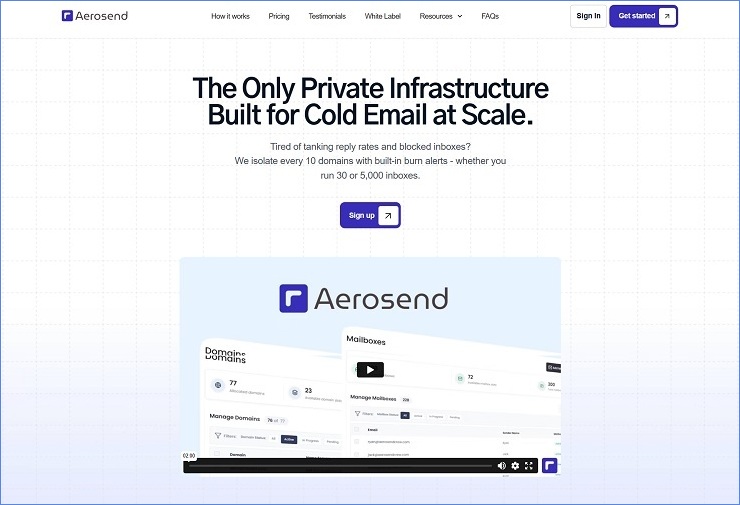
What it is: Private cold email infrastructure with dedicated, aged IP clusters, automated DNS setup, built-in warm-up, and proactive domain health monitoring.
Pricing: Starts at $4/inbox per month, with volume discounts as you scale. At 1,500 mailboxes, the per-inbox cost drops to $3.44/month with a recommended daily sending volume of 30,000 to 37,500 emails.
Why it ranks first:
Aerosend addresses the two operational challenges that consistently determine whether agencies retain clients or lose them: IP isolation and provisioning overhead.
The architecture is built around dedicated, aged IP clusters segmented across batches of 10 domains. Each batch gets its own servers and its own IPs. When one cluster encounters a blacklist issue or a bounce spike from an aggressive campaign, the impact stays contained within that cluster and does not bleed into other clients or sending lanes.
At the agency scale, where one client’s poor list hygiene can put others at risk, this level of isolation is a structural advantage that the majority of competitors simply do not offer. Shared IP pools mean that another sender’s behavior can tank your deliverability overnight, and you would never know the cause until the damage is already done.
On the provisioning side, SPF, DKIM, DMARC, MX records, and custom tracking domains are all configured automatically during inbox creation. There are no manual steps or domain-by-domain DNS checklists during onboarding new clients. For agencies managing 10, 20, or 50 client accounts, this eliminates hours of setup work per onboarding cycle and, more importantly, removes the human error that causes authentication failures weeks into a campaign.
Domain Burn Alerts are the feature that separates Aerosend from the rest of the field. The system monitors five metrics in combination: warm-up reputation, inbox placement test results, reply rates, bounce rates, and bounce type analysis. It fires alerts before a domain is fully compromised, giving you a window to intervene rather than discovering the problem after campaigns have already been affected. Every other tool in this list either remains stable until something breaks and relies on you to catch it after the damage is done, or simply does not offer this kind of monitoring at all.
| Domain Burn Alert Metric | What It Catches | Why It Matters |
|---|---|---|
| Warm-up reputation | Reputation degradation during warm-up | Prevents launching on a compromised foundation |
| Inbox placement tests | Shift from inbox to spam/promotions | Catches deliverability drops before they affect live campaigns |
| Reply rate monitoring | Unusual reply rate declines | Signals potential filtering or throttling by ISPs |
| Bounce rate tracking | Spike in bounces across campaigns | Identifies list quality issues or IP reputation damage early |
| Bounce type analysis | Differentiates hard vs. soft vs. block bounces | Distinguishes between bad data and infrastructure-level blocking |
Warm-up is included by default and handled through premium IP aging and dynamic IP rotation. One of the most common reasons domains fail early in cold outreach is launching before the proper warm-up is complete, and Aerosend removes that risk entirely, rather than leaving it to manual responsibility.
Integrations: Smartlead, Instantly, EmailBison, Lemlist, SalesHandy, Woodpecker.
At ~$4 per mailbox, Aerosend is not the cheapest option in this list. But for agencies managing 10+ clients, the included warm-up, automated DNS setup, proactive Domain Burn Alerts, and dedicated IP isolation typically offset the premium compared to cobbling together separate tools for each function and paying for them individually.
For agencies running client campaigns where deliverability failures have real retention consequences, Aerosend is the most complete infrastructure solution in the market right now. The combination of dedicated aged IPs, automated authentication, built-in warm-up, and proactive domain health monitoring creates an infrastructure layer that other tools only partially cover, and that gap becomes more expensive to manage manually as you scale.
2. Mailpool
Best UX, But Unproven Track Record
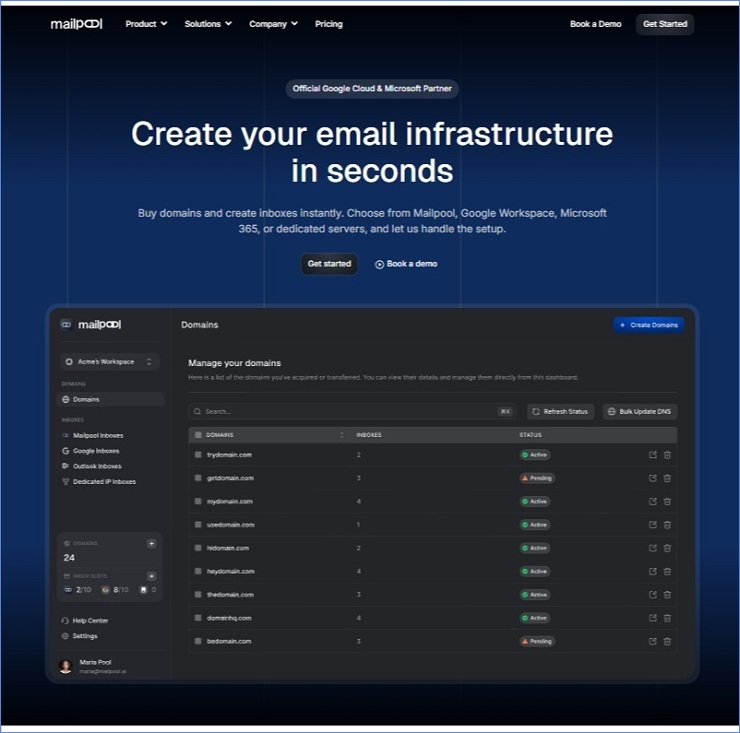
What it is: AI-powered cold email infrastructure platform with multi-provider inbox creation (Google Workspace, Microsoft 365, and managed servers), automated DNS setup, and an AI domain generator.
Pricing
| Plan | Monthly | Annual | Infrastructure |
| Mailpool (shared IP) | $3/inbox | $2.60/inbox | Mailpool’s own managed network |
| Google Workspace | $4/inbox | $3.40/inbox | Native GWS infrastructure |
| Microsoft 365 | $5/inbox | $4.30/inbox | Native M365 infrastructure |
| Dedicated IP Server | $200/server | $170/server | Dedicated server with own IPs |
What it gets right
Mailpool is the most UX-polished entry in the infrastructure space. The 5-minute end-to-end setup (domain purchase, inbox creation, DNS authentication, sequencer connection) is credible, and the AI Domain Generator that suggests pre-vetted domain names appropriate for cold outreach eliminates one of the more tedious parts of infrastructure setup. Native integrations with Smartlead, Lemlist, Reply, HubSpot, and Instantly cover the core sequencing platforms, and API access is available on all tiers.
What you need to know
The Standard plan at $2.60/inbox runs on Mailpool’s own managed network with shared IPs, meaning it does not carry native Google or Microsoft trust signals. The GWS and M365 tiers offer genuine native ESP infrastructure at competitive pricing, but the lowest tier and the higher tiers are fundamentally different products sharing the same brand name.
The platform’s domain was registered in September 2024. It claims 35,000+ domains, 250,000+ inboxes, and 2,000+ companies, but these figures are unverified. The ProvenExpert profile shows zero reviews. There are no Trustpilot, G2, or Capterra listings with verified user experiences. Every available testimonial is sourced from Mailpool’s own site.
The founder (Hugo) is publicly transparent, including a candid LinkedIn post about spending three months building a feature nobody wanted. That kind of honesty is a good signal, but founder accessibility does not substitute for an independent review record.
There are no Domain Burn Alerts, and the warm-up methodology is underdocumented. The platform describes its approach as rotation-based, but specific protocols are not described in detail.
Best for: Teams that prioritize speed and multi-provider flexibility and are comfortable operating on a young platform. Strong secondary lane alongside a more proven primary infrastructure.
Rating: 3.4/5 | Strong tooling on a young, unproven foundation.
3. Hypertide
Best Azure Infrastructure for High-Volume Agencies
What it is: Microsoft Azure-based cold email infrastructure with dedicated tenant isolation, native Outlook UI, and bulk inbox provisioning.
Pricing
| Component | Cost | Details |
|---|---|---|
| Monthly per order | $50 | 100 Azure inboxes across 2 domains |
| One-time setup fee | $1,500+ (quite high, changes from call to call) | Revealed on sales call only |
| Domains | $30 each | If purchased through Hypertide |
| Effective per-inbox cost | ~$0.50/month | After the setup fee is amortized |
What sets it apart
Each inbox sits on its own Azure tenant, meaning genuine tenant separation rather than a shared reseller account. The native Outlook UI means your inbox looks and behaves like standard Outlook, which Hypertide claims delivers 8% better performance and fewer throttling issues than other Azure resellers. SPF, DKIM, and DMARC are pre-configured on every order, and setup takes 4 to 6 hours.
Each order delivers 100 inboxes. After a 2-week warm-up period, each account handles approximately 2 outbound emails per day, for a total of roughly 5,000 emails per month across the batch. Integrations cover SmartLead and Instantly.
What you need to know about Hypertide
The $1,500 setup fee is real and only surfaced on a sales call, not on the website. At 200+ inboxes the math works well; below that threshold, the upfront cost is hard to justify against alternatives. There are only 3 confirmed integrations, no published SLA or deliverability guarantee, and the platform is relatively new with limited independent user feedback.
Two outbound emails per account per day is very conservative. Agencies that need higher per-inbox volume will find this architecture constraining without purchasing additional orders.
The more significant concern is Azure IP reliability. Users have reported domain bans and poor support response during those incidents, and practitioners running Hypertide at scale have noted periods where Microsoft’s IPs simply stop performing well, requiring them to maintain backup infrastructure on a different provider entirely. This is not a Hypertide-specific failure; it is a structural risk of building your entire cold email operation on a single ESP’s infrastructure, which is why the two-lane strategy discussed later in this guide exists.
Best for: High-volume agencies already operating at 200+ inboxes where Azure-level trust signals and tenant isolation justify the setup investment, and who are prepared to maintain a secondary lane for the periods when Microsoft’s IPs underperform.
4. Premium Inboxes
Best Done-for-You Google Workspace Inboxes
What it is: Pre-configured, done-for-you Google Workspace and Microsoft 365 inboxes with DNS setup handled, warm-up included, and fast turnaround.
Pricing: ~$3 to $3.50 per inbox/month.
What it gets right
Premium Inboxes has the strongest review profile of any tool in this list: 5/5 on Trustpilot with 311 reviews. Users consistently praise the speed (often under 5 hours from order to live inbox), the support team, and early-stage deliverability. One reviewer who switched to a cheaper provider called it “a huge mistake” and then returned, citing nearly 100% deliverability.
Setup requires zero technical knowledge, with SPF, DKIM, and DMARC handled entirely. Warm-up and inbox rotation are included.
What you need to know
Multiple users report being asked for domain registrar credentials during setup, which is a legitimate security concern for experienced operators. Reports of inboxes being removed or becoming inaccessible without warning also exist. There is no built-in monitoring, analytics, or inbox health tracking, no transparency on whether the IP model is shared or dedicated, and no refund policy, according to multiple reports.
Best for: Beginners and small agencies that need fast deployment without technical setup and are comfortable with limited control over the underlying infrastructure.
Rating: 7.8/10 | High-performing but trust-sensitive.
5. Cheap Inboxes
Best Budget Entry Point
What it is: Cheap Inboxes is a bulk Google Workspace inbox reseller focused purely on low-cost provisioning.
Pricing
| Plan | Price | Minimum |
|---|---|---|
| Starter | $3.50/inbox | None |
| Business | $3.25/inbox | 100 inboxes |
| Agency | $3.00/inbox | 250 inboxes |
| Enterprise | $2.80/inbox | 1,000 inboxes |
What it gets right
Cheap Inboxes does exactly one thing: it provides cheap Google Workspace inboxes quickly. Inboxes are delivered within 24 to 48 hours, pre-configured, with no technical work required from the user. Multiple Reddit users report positive experiences on a small scale, and support is frequently praised.
What it does not do
There is no warm-up, no monitoring, no automation layer, no dashboard, and no deliverability tools of any kind. DNS records like SPF, DKIM, and DMARC are not automated; you configure them manually or rely on whatever defaults the reseller setup provides.
The larger concern is provenance. Cheap Inboxes operates as a reseller, and the cold email space has a well-documented history of resellers exploiting EDU, nonprofit, and legacy G Suite panels to provision inboxes at below-market rates. Google has been actively cracking down on these panels throughout 2024 and 2025, permanently suspending mailboxes tied to illegitimate panels and flagging entire workspaces whose admin structures trace back to banned provisioning methods. When that happens, your inboxes go dark overnight with no recourse and no migration path. Cheap Inboxes does not publicly disclose whether its accounts are provisioned through official Google Workspace Business Starter channels or through discounted panel access, and that opacity is a risk you absorb as the buyer.
At scale (20 to 30+ inboxes), deliverability reportedly drops, and reseller inboxes may get flagged more easily than direct Google Workspace accounts. Multiple Skool community posts document the owner threatening to double prices when a user pushed back on an issue, then responding with hostility.
Best for: Beginners testing cold email on a budget, running fewer than 20 inboxes. Treat it as disposable infrastructure for experiments, not a permanent foundation.
Rating: 7/10 | Great entry-level solution that serious users will outgrow.
6. InboxFlow
Solid Setup Tool, Limited Beyond That
What it is: Cold email infrastructure platform handling domain purchases, inbox creation, and automated DNS configuration, delivered as a setup layer for external sending tools.
Pricing: Starts at $45/month for 15 inboxes. No lower-tier option.
What it gets right
Automated SPF, DKIM, DMARC setup with bulk inbox provisioning and a centralized dashboard. Domains automatically redirect to your landing page, which is a nice touch for legitimacy. One-click integration with Instantly and SmartLead, with CSV export for other tools.
Limitations
InboxFlow does not send emails; it is purely a setup infrastructure. There is no warm-up, no deliverability diagnostics, and no IP provisioning or rotation. Scaling becomes manual beyond a modest inbox count because everything runs via CSV exports and imports. The 15-inbox minimum makes it inaccessible for smaller users testing the waters, and custom pricing for larger plans is not transparent.
Best for: Cold email agencies and lead gen teams that want fast infrastructure setup and already have strong operational processes for everything else.
Rating: 6.5/10 | Practical starting point that more advanced users will outgrow.
7. Mass Mail Servers
Legacy Bulk SMTP, High Risk
What it is: Dedicated VPS and SMTP server infrastructure for high-volume bulk email, operating since approximately 2010.
Pricing: $175/month (VPS, 2 dedicated IPs, ~5,000 emails/hour) to $300/month (Dedicated SMTP, 4 dedicated IPs, ~15,000 emails/hour).

Why it still exists
MMS has a genuine user base among high-volume bulk senders. Several long-term users report sending 10 million emails daily with consistent performance. Positive reviews cite open rates of 6 to 23% and responsive support during normal operations. Free Mailwizz bundling is a real value-add for teams needing a self-hosted email marketing application.
Why it is ranked last
The review record is deeply polarized. Trustpilot shows 2.2/5 from 9 reviews, with the most recent (December 2023) reporting that they paid via crypto but never received service or a response. WHTop shows 5.4/10 from 16 reviews, a perfect 50/50 split between positive and negative.
| Failure Pattern | Frequency | Impact |
|---|---|---|
| Blacklisted IPs at setup | Multiple reviewers, across years | Campaigns dead on arrival; one user got 3 consecutive blacklisted IPs |
| Billing disputes | Multiple reports | Continued charges after cancellation, explicit refund refusals |
| Delivery failures | Consistent pattern | Emails going to spam from day one, unresponsive support |
There is no warm-up infrastructure, no real-time deliverability monitoring, no Domain Burn Alerts, and no automation layer. Plans were last updated July 2021. The Trustpilot profile is unclaimed, meaning the business has never responded to any review on that platform. The company claims San Francisco but acknowledges Pakistan-based operations.
The only operator this works for: Technically self-sufficient high-volume senders in low-stakes contexts who can absorb occasional blacklisting as a cost of doing business and have no agency client accountability.
Everyone else should avoid it. The 50% negative review rate, unclaimed review profiles, and 2023 fraud report make this impossible to recommend for any operation where reliability is a requirement. And even for the operators it does work for, the platform demands serious technical knowledge to configure, maintain, and troubleshoot, with no hand-holding from support when things go sideways.
Rating: 2.3/5
Honorable Mentions: Early-Stage Tools Worth Watching
Sending.ac offers Azure-based infrastructure at $0.33 to $0.40/mailbox with per-domain tenant isolation and auto-rotating IPs. The zero setup fee is a differentiator, but the 600-mailbox minimum is steep. There are zero reviews on any platform, and the team is still hiring a CMO and CPO with 20% equity, signaling a very early stage. Bold claims with zero published evidence. Watch, don’t commit.
Emtoss claims 99 inboxes on a single domain at ~$1-$ 2 per inbox, making it the cheapest per-inbox pricing available. The 99-inboxes-on-one-domain model is a single point of failure, because when that domain gets flagged, all 99 go down. First indexed June 2025. Zero third-party reviews anywhere. Not mentioned in any major infrastructure comparison. Contradictory messaging on warm-up (homepage says “built without pre-warmed methods” but separately sells pre-warmed inboxes). Too new and too opaque to recommend for anything beyond small experiments.
Domain Strategy and Warm-Up: The Two Things You Cannot Skip
These two areas are operationally linked. A properly authenticated domain that skips warm-up still cannot send reliably, and a well-warmed domain with sloppy DNS setup burns faster than it should.
Domain Setup Rules
Never use your primary domain
One spam complaint or blacklist listing damages your organic email deliverability, website credibility, and search reputation simultaneously. Use dedicated sending domains: getcompanyname.com, trycompanyname.com, companyname.io.
Use separate domains rather than subdomains
A subdomain like mail.yourcompany.com is still part of your root domain’s reputation graph, and ISPs associate subdomain behavior with the parent domain directly.
Name domains carefully
Avoid hyphens, low-trust TLDs (.info, .biz), and anything that matches a spam domain pattern. Run 3 to 4 inboxes per domain to distribute risk without diluting reputation.
Buy aged domains where possible
A domain with 6 to 12 months of DNS history has a baseline reputation. Zero-history domains are automatically placed on Zero Reputation Domain (ZRD) lists by many ISPs, meaning your warm-up is fighting two problems simultaneously.
Run a domain check before warm-up begins
Missing MX records, absent DMARC, or a broken SPF record discovered after warm-up has started means you have been building a reputation on a broken foundation.
| Domain Setup Checklist | Status Required | What Happens Without It |
|---|---|---|
| SPF record | Configured with all sending IPs | Permerror or authentication failure |
| DKIM (2048-bit) | Signing enabled, public key in DNS | Messages fail signature verification |
| DMARC policy | Minimum p=quarantine | ISPs treat your domain as unmonitored |
| MX records | Pointed correctly | Replies bounce; ISPs flag domain as non-functional |
| Custom tracking domain | CNAME configured | Link tracking uses shared domains that may be flagged |
| Domain age | 6+ months preferred | Placed on ZRD lists, harder warm-up |
Warm-Up: Why the Ramp Exists
ISPs maintain behavioral models for every sending domain. A domain that jumps from zero to 500 sends per day in week one triggers automated filtering regardless of list quality.
Start at 10 to 20 emails per day per inbox. Increase by 10 to 20% each week. The process takes 14 to 21 days. Aerosend handles this automatically with premium IP aging and dynamic rotation, which means the warm-up process is built into the infrastructure itself rather than requiring an external tool or manual management. For tools without built-in warm-up, Mailreach and Warmbox are the most widely used external options.
One detail that is consistently omitted from other guides: warm-up only works when the seed addresses in the warm-up network are real, active inboxes. Tools running pools of invalid or abandoned addresses generate early bounce signals that damage the reputation you are trying to build.
How to Choose: Match Your Stack to Your Stage
| Agency Stage | Monthly Volume | Primary Stack | Secondary Lane |
|---|---|---|---|
| Early (under 5 clients) | Under 10k | Google Workspace (direct) | None required |
| Growth (5 to 15 clients) | 10k to 100k | Aerosend.io | Google Workspace or Mailpool GWS tier |
| Scaling (15 to 30 clients) | 100k to 500k | Aerosend.io + Hypertide | Mailpool M365 tier for diversification |
| Enterprise (30+ clients) | 500k+ | Aerosend.io + Hypertide + dedicated lanes | Multiple secondary lanes for ISP diversification |
The Two-Lane Rule
Never route 100% of sends through a single provider. When your primary lane encounters a deliverability issue (and at sufficient volume, it eventually will), an active secondary lane maintains campaign continuity while the primary recovers.
The secondary lane also provides ISP-level diversification. Running Google Workspace inboxes alongside dedicated private infrastructures like Aerosend means your emails come from infrastructure with different trust histories.
The Setup No One Wants to Do Is the One That Determines Everything
Infrastructure is the part of cold email that feels like a DevOps project when you just want to run outreach. It does not generate excitement in client meetings and does not show up in metrics until something goes wrong.
But it is the single variable that separates teams with consistent inbox placement from those constantly troubleshooting reply-rate drops, investigating spam-folder placements, and cycling through new domains every two months.
Every component reinforces the others. Verified data sent from authenticated infrastructure with a healthy sender reputation, warm domains, and proper DNS configuration is treated differently by the algorithms that govern inbox placement, engagement scoring, and spam thresholds.
Infrastructure handles the sending side. Email verification handles the data side. Neither compensates for failures in the other. A verified list sent from broken infrastructure lands in spam. A perfect infrastructure setup sending to unverified contacts accumulates bounces, spam complaints, and blacklist listings that take months to recover from.
Both have to be right.
Before your next campaign, run your list through your email verification tool. Invalid addresses on healthy infrastructure are the fastest way to damage the reputation you just spent three weeks building.