
Every email list decays. People change jobs, abandon inboxes, sign up with temporary addresses, or go months without opening a single message. If you send to that list without a verification pass first, the damage arrives quickly: bounce rates climb, inbox providers start routing your messages toward spam folders, and your sender reputation takes hits that can take months to recover. At MailCleanup, we built our product specifically for this problem, and as the best email list cleaning service for bulk senders who want clean results without unnecessary overhead, we understand exactly what a dirty list costs a sending programme.
Choosing the right service from this category is not as simple as finding the cheapest price per thousand emails or the one with the longest feature list. The best email list cleaning service for your situation depends on how often you clean, the size of your list, whether you need frictionless bulk processing or deep API integration, and whether a focused list cleaner is enough or you need a full deliverability suite. A tool built for a developer managing real-time form validation is not the right fit for a marketer who needs to clean a CSV file once per quarter.
This post reviews 12 services in detail, comparing accuracy, pricing across volume tiers, account requirements, credit structure, and integration depth. We have also built the MailCleanup Service Fit Matrix, a decision framework that maps four common sender profiles to the right email list cleaning service, so you can move from this review to a decision rather than just a longer shortlist.
TL;DR on Email List Cleaning Services
- An email list cleaning service removes invalid, inactive, disposable, and risky email addresses from your list before you send, protecting your sender reputation and reducing hard bounce rates.
- A bounce rate above 2%, declining open rates without a content change, and any new list import are all signals that a cleaning pass is overdue, regardless of when you last cleaned.
- Accuracy claims of 98% to 99% are standard across all major services. The factors that actually separate them are bulk processing speed at your list size, credit pricing structure, whether an account is required, and integration depth.
- Not all email list cleaning software is the same type of product. Bulk-only list cleaners focus on verification and file delivery. Deliverability suites add engagement scoring, blocklist monitoring, and inbox placement testing. If you only need list cleaning, a focused service will cost less and add far less friction.
- Credits that never expire are a material advantage for senders who clean irregularly. Kickbox credits expire after 12 months; most other services on this list do not set an expiry date on purchased credits.
- MailCleanup is the only service reviewed here that requires no account setup. You upload your CSV, verification runs, and your cleaned list is delivered directly to your inbox, making it the lowest-friction email list cleaning service available for bulk senders.
- The MailCleanup Service Fit Matrix in this post maps four sender profiles (Occasional Bulk Sender, High-Frequency Marketer, No-Fuss Marketer, and Developer or Agency) to the services best matched to each situation.
- Among the 12 services reviewed, MailCleanup offers the most competitive pricing for pure bulk list cleaning, starting at $5 for 1,000 email credits with no account fees or hidden charges.
What Is an Email List Cleaning Service?
An email list cleaning service is a tool that analyses every address on your list and classifies it according to its deliverability status. At minimum, a good email list cleaner identifies invalid addresses, disposable or temporary emails, addresses with domain or MX record errors, spam traps, role-based accounts such as info@ or support@, catch-all domains, and duplicate entries. The result is a cleaned file that tells you exactly which addresses are safe to send to, which should be suppressed, and which require a closer review before any decision is made.
It is worth understanding the distinction between two types of products in this category, because they solve different problems at different price points. A bulk list cleaner is a service built specifically for uploading large files, running multi-layer verification, and returning a clean list. These services focus on accuracy per email, processing speed, and cost efficiency.
A deliverability suite is a platform that combines list cleaning with additional tools such as engagement scoring, inbox placement testing, blocklist monitoring, and DMARC reporting. Deliverability suites carry a higher price and are built for teams that need an ongoing deliverability programme, not just a pre-send verification pass. If your requirement is to clean a list before a campaign, a dedicated email list cleaning service will deliver better value than paying for tools you will not use.
Beyond removing bad addresses, the best email cleaners provide result transparency: showing you exactly which category each address falls into so you can make informed suppression and segmentation decisions before your next send.
How Does an Email List Cleaning Service Work?
A good email list cleaner runs a multi-step verification process on every address you upload. The exact method varies by provider, but the core sequence is consistent across all reputable services:
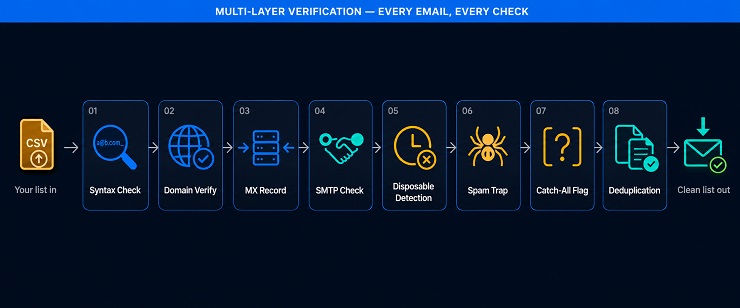
- Syntax check: The tool confirms that each address is correctly formatted, catching typos, missing symbols, and impossible character combinations before any external server checks are run.
- Domain verification: The service confirms that the email domain exists, is active, and is configured to receive messages.
- MX record check: MX records direct incoming mail for a domain to the correct mail server. An address with no valid MX record cannot receive email under any circumstances.
- SMTP verification: The service performs a server-level handshake with the receiving mail server to confirm the specific mailbox exists, without sending an actual email to the address.
- Disposable and temporary email detection: Addresses generated by throwaway email providers are flagged. These expire quickly and produce hard bounces or zero engagement when you send to them.
- Spam trap detection: Known spam trap addresses are identified and removed. Sending to a spam trap signals to inbox providers that your list acquisition and management practices are problematic.
- Catch-all domain identification: Some domains accept all incoming mail regardless of whether the specific mailbox exists. These addresses cannot be confirmed as valid through standard verification and are classified as risky rather than deliverable.
- Duplicate removal: Most services remove duplicate entries automatically before returning your cleaned file.
After verification, you receive a categorised report alongside your cleaned list. Most list cleaning cycles complete in under an hour for lists of up to 100,000 addresses, though processing times vary by service and queue volume. The report tells you how many addresses were valid, invalid, risky, catch-all, disposable, and duplicated, giving you the data you need to make suppression decisions before your next campaign.
When Should You Clean Your Email List?
“Every three to six months” is the standard recommendation, and it is a reasonable baseline. But it is a passive schedule that does not account for the specific signals that tell you a cleaning pass is necessary right now, regardless of when you last cleaned. These are the triggers that should send you to an email cleaning service before your next send:
- Bounce rate above 2%: This threshold is the point at which inbox providers treat your sending programme as a problem. A targeted email list cleaning service pass is the first response, not a wait-and-monitor approach.
- Open rate dropping without a content change: When engagement falls consistently and no creative variable has changed, the most likely cause is that a growing share of your list is inactive, abandoned, or unreachable.
- A major campaign approaching: A product launch, seasonal send, or re-engagement push is not the moment to discover your list is carrying bad addresses. Running a verification pass in advance protects your sender reputation at the moment delivery matters most.
- List not cleaned in six or more months: Email lists decay naturally over time. Even without visible deliverability symptoms, a list that has not been through a cleaning email list cycle in six months will contain invalid and risky addresses that were not there when you last ran a verification pass.
- New list import or merged sources: Any time addresses enter your database from an external source, whether a tradeshow scan, a content download, a CRM merge, or a third-party acquisition, they bring unknown quality with them. Verification before sending is not optional in this scenario.
- New domain or IP warmup approaching: Cleaning your list before a warmup sequence prevents bad addresses from damaging a fresh sending infrastructure before it has built any sender reputation at all.
What to Look for in Email List Cleaning Software
Every email list cleaning software in this category claims 98% or 99% accuracy, so that number alone cannot guide your decision. Services that consistently deliver results separate themselves on a different set of factors, ones that become more important the larger your list grows and the more frequently you clean.
To help you identify the best email list cleaning service for your specific situation, we built the MailCleanup Service Fit Matrix. This framework evaluates each service across eight criteria that reflect real buying decisions, not marketing claims. The same eight criteria underpin the comparison tables and the individual reviews that follow.
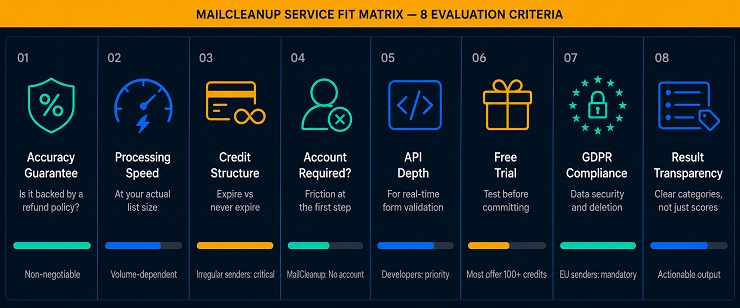
The MailCleanup Service Fit Matrix: 8 Evaluation Criteria
- Accuracy guarantee and accountability: Does the service offer a deliverability guarantee, and is it backed by a refund, credit, or reprocessing policy? A claimed accuracy rate without any accountability behind it is a marketing figure, not a commitment.
- Bulk processing speed at your volume: Verification speed varies significantly across services and across list sizes. A tool that handles 10,000 emails in ten minutes may take four to eight hours on a 50,000-email file depending on infrastructure and queue load. Know your typical list size before you choose.
- Credit pricing structure: Pay-as-you-go credits that never expire are materially different from credits that lapse after a fixed period. If your cleaning frequency is irregular, expiring credits represent money paid for verifications you may never use.
- Account requirement versus no-account workflow: Some services require full account creation before you can access your results. MailCleanup is the only list cleaning service reviewed in this post that delivers your cleaned file directly to your inbox with no account setup required, removing a step that adds no value for bulk senders focused on getting a clean list fast.
- API and real-time integration depth: If you need to validate email addresses at the point of capture, a reliable real-time API is non-negotiable. If you only clean existing lists in bulk, API depth matters less and should not drive your choice or inflate your cost.
- Free trial or starter credits: Most services offer between 100 and 250 free credits. This is enough to test the interface, verify a small sample of your list, and confirm result quality before committing to a paid plan.
- GDPR and data security standards: You are uploading your customer database to a third-party platform. Look for SSL encryption, military-grade data handling, clear data retention and deletion policies, and explicit GDPR compliance declarations.
- Result transparency: Does the service return clear, actionable categories such as valid, invalid, risky, catch-all, disposable, role-based, and duplicate, with enough detail to make a suppression decision? A single composite score with no category breakdown leaves you guessing about what to actually do with each result.
12 Best Email List Cleaning Services Compared
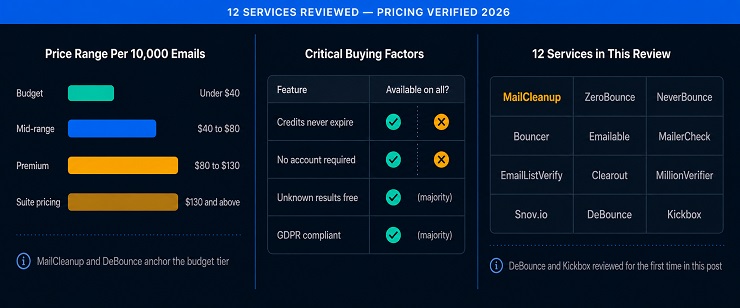
The tables below compare all 12 email list cleaning services on the two dimensions that matter most at the buying stage: pricing across volume tiers and key service features. Pricing reflects standard pay-as-you-go rates as of 2026. Subscription plans, annual commitments, and enterprise agreements will shift these figures for high-volume senders.
Pricing Comparison
| Service | Accuracy | 5,000 Credits | 10,000 Credits | 50,000 Credits | 100,000 Credits |
|---|---|---|---|---|---|
| MailCleanup | 99% | $10 | $15 | $50 | $90 |
| ZeroBounce | 99% | $69 | $129 | $499 | $649 |
| NeverBounce | 99% | $40 | $50 | $250 | $400 |
| Bouncer | 98% | $35 | $60 | $250 | $400 |
| Emailable | 99% | $38 | $60 | $245 | $420 |
| MailerCheck | 98% | $45 | $80 | $300 | $500 |
| EmailListVerify | 99% | $17 | $27 | $98 | $186 |
| Clearout | 98% | $40 | $65 | $325 | $400 |
| MillionVerifier | 99% | $39 | $39 | $89 | $149 |
| Snov.io | 98% | $99/mo | $99/mo | $369/mo | $738/mo |
| DeBounce | 97.5%+ | $15 | $25 | $75 | $135 |
| Kickbox | ~97% | $40 | $70 | $275 | $500 |
At the volume tiers most bulk senders operate in, MailCleanup and DeBounce are the most competitively priced options for pure list cleaning. EmailListVerify and MillionVerifier offer strong value at higher volumes. ZeroBounce and Kickbox are the most expensive services per email across all tiers, which reflects its premium integration positioning rather than a superior accuracy rating. Understanding where your current cleaning email list process sits on the price-versus-volume curve is the first step toward a rational service decision.
Feature and Fit Comparison
| Service | Free Trial | Account Required | Credits Expire | API Available | Best For |
|---|---|---|---|---|---|
| MailCleanup | Test sample | No | Never | No | Bulk senders wanting zero-friction list cleaning |
| ZeroBounce | 100 free/month | Yes | No | Yes | Full deliverability suite with engagement scoring |
| NeverBounce | Demo only | Yes | No | Yes | Enterprise senders needing recurring automated cleaning |
| Bouncer | 100 credits | Yes | No | Yes | Speed-first verification for mid-to-large lists |
| Emailable | 250 credits | Yes | No | Yes | High-volume senders with 50+ platform integrations |
| MailerCheck | 10 credits | Yes | No | Yes | Deliverability testing alongside bulk list cleaning |
| EmailListVerify | 100 credits | Yes | No | Yes | Budget-conscious senders with large one-off lists |
| Clearout | 100 credits | Yes | No | Yes | AI-enhanced verification for CRM-heavy workflows |
| MillionVerifier | Free sample | Yes | No | Yes | Lowest per-email cost at very high volumes |
| Snov.io | 50 credits | Yes | No | Yes | Sales teams needing CRM workflows alongside verification |
| DeBounce | 100 credits | Yes | Never | Yes | Budget-friendly with automated daily list monitoring |
| Kickbox | 100 verifications | Yes | 12 months | Yes | Developer-first with premium ESP integrations |
The feature table makes one difference immediately clear: MailCleanup is the only service in this comparison that does not require an account to access your results. Every other email list cleaning service on this list requires registration before you can retrieve your cleaned file. For bulk senders who run periodic cleaning passes and want no overhead beyond the clean itself, that distinction is meaningful.
Exploring All 12 Best Email List Cleaning Services in Detail
1. MailCleanup
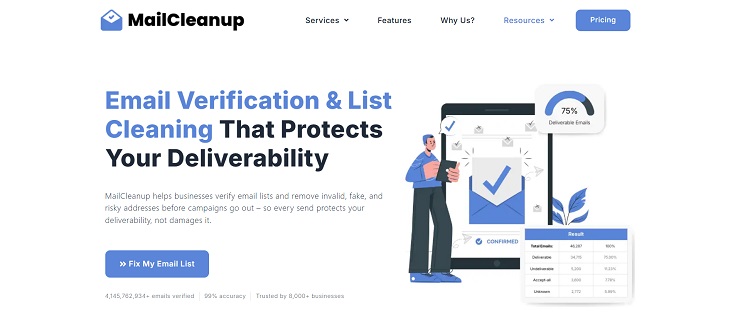
MailCleanup is built on a single conviction: bulk email verification should not require creating an account, navigating a dashboard, or managing a subscription. It is the only service in this review where the entire workflow is upload, verify, receive. You send your CSV file, MailCleanup runs its multi-layer verification process, and your cleaned list arrives directly in your inbox. No login. No portal. No administrative overhead. For marketers and businesses that need to clean a list before a campaign and want nothing more complicated than that, MailCleanup is the most straightforward best email list cleaning service available.
The verification engine runs 99% accuracy across syntax validation, MX record checks, SMTP verification, spam trap detection, disposable email identification, catch-all domain flagging, greylisted domain detection, and duplicate removal. Each check is designed to produce a result you can act on: a clean list of deliverable addresses, a suppression list of invalids, and a report that tells you exactly what was found and removed.
MailCleanup has earned consistently strong reviews across Trustpilot and Capterra, with several positive ratings and high marks that reflect genuine satisfaction with both the product results and our email cleaning services. Reviewers consistently highlight three things: the simplicity of the workflow, the speed of results, and the pricing relative to comparable services. The absence of an account system is noted by some users as unusual, but the majority describe it as an advantage rather than a limitation, particularly for agencies and businesses cleaning lists on behalf of clients where account management adds friction without adding value.
Key Features of MailCleanup
- Multi-layer verification covering syntax, domain, MX records, SMTP, spam traps, disposable emails, catch-all domains, greylisting, and bounce prediction
- No account creation required at any stage of the verification process
- Results delivered directly to your inbox as downloadable clean list files
- Greylisting detection to reduce unknown results and improve usable list output
- SMTP-level response codes for each failed address, showing exactly why specific emails failed verification
- Catch-all domain identification with clear flagging for decision-making
- Full inbox detection for addresses with full mailboxes that cannot currently receive mail
- Bulk processing for lists from a few thousand to millions of addresses
MailCleanup Pricing
MailCleanup operates on a one-time credit plan model with no recurring fees and no account management overhead. Pricing starts at $5 for 1,000 email credits, with volume tiers that reduce the per-email cost significantly as list size increases. For a list of 100,000 addresses, the cost is among the lowest in this comparison at any volume tier. Credits are purchased per job rather than held in a balance, keeping the model as simple as the product itself. Check the current pricing page at mailcleanup.com for up-to-date tier information before purchasing.
Pros & Cons of MailCleanup
Pros:
- Only service in this comparison with no account requirement
- Competitive pricing at every volume tier, particularly for large one-off bulk cleans
- 99% accuracy with clear result categories and detailed SMTP codes
- Fast turnaround with results delivered directly by email
- No subscription, no renewal, no unused credits sitting in a portal
Cons:
- No real-time API for form-level verification at the point of signup
- No ongoing automated list monitoring or ESP sync
- No supplementary deliverability tools such as inbox placement testing or blocklist monitoring
- Best suited for bulk one-off cleans; not built for teams needing continuous verification workflows
2. ZeroBounce
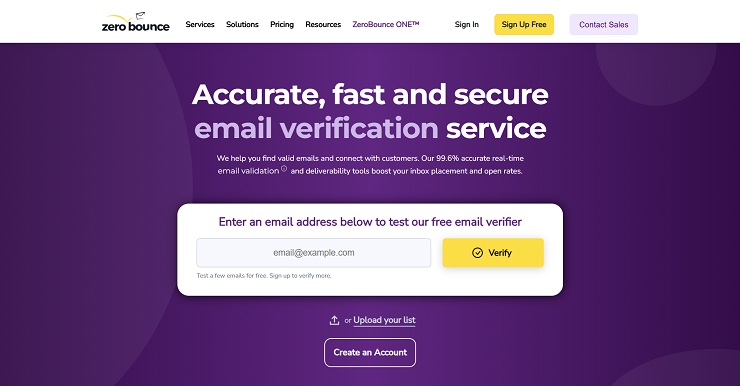
ZeroBounce is the most widely used full deliverability platform in this category and the closest thing this market has to a default choice. It combines bulk email verification with a real-time API, AI-powered email activity scoring, engagement data, inbox placement testing, DMARC monitoring, blocklist scanning, and an email finder, all accessible from a single account. For teams that need more than just a cleaned list, ZeroBounce’s bundled toolkit makes it possible to run a complete deliverability programme without paying for multiple separate tools.
The platform has validated over 25 billion emails across more than 400,000 customers and offers 60-plus integrations with CRMs, ESPs, website builders, and a WordPress plugin. Its signature differentiator is the AI Activity Data system, which shows when an email address was last active rather than just confirming it exists. A technically valid address that has not been opened in 12 months is a different risk profile from a valid address that opened an email three weeks ago, and ZeroBounce is currently the only service in this comparison that surfaces that distinction.
ZeroBounce does not charge for unknown results. Every verification result is classified into clear categories: valid, invalid, catch-all, unknown, spam trap, and abuse. The recent launch of ZeroBounce ONE represents a 55% price reduction from their previous subscription structure and now bundles the full deliverability suite at a flat monthly rate, making the platform significantly more accessible for consistent senders.
Key Features of ZeroBounce
- AI Activity Data scoring showing last-active date for each verified address
- Bulk email verification and real-time API with 60-plus platform integrations
- Inbox placement testing across major mailbox providers
- Blocklist monitoring, DMARC monitoring, and email server testing included on all plans
- Email finder tool for locating valid addresses by name and domain
- No charge for unknown results or duplicate removal
- 99% claimed accuracy (independent benchmarks place real-world performance at 96.5% to 98%)
ZeroBounce Pricing
Pay-as-you-go credits never expire. Minimum purchase is 2,000 credits at $0.0195 per credit ($39 total). At 10,000 credits the cost is $129 ($0.0129 per credit). At 100,000 credits the cost is approximately $649 ($0.0065 per credit). The ZeroBounce ONE subscription costs $99 per month (or $79 per month on annual billing) and includes 10,000 verification credits per month with rollover, plus the complete deliverability toolkit. Unused subscription credits carry forward indefinitely, meaning a slow month does not waste your allocation. A 15% discount on additional pay-as-you-go credits applies for active subscribers.
At the 100,000-credit tier, ZeroBounce is one of the more expensive pure verification options in this comparison. For teams using the full deliverability suite, the value is justified. For teams that only need list cleaning, paying $649 per 100,000 emails is hard to defend when services like EmailListVerify, MillionVerifier, and DeBounce deliver comparable core verification at a fraction of the cost.
Pros & Cons of ZeroBounce
Pros:
- Most comprehensive deliverability toolkit in the category
- AI Activity Data scoring provides meaningful signal beyond basic valid/invalid
- Credits never expire on pay-as-you-go
- Unknown results are free, not charged against credit balance
- 60-plus integrations and a strong API with documentation in multiple languages
Cons:
- One of the most expensive options at every volume tier for pure list cleaning
- Email Finder consumes 20 credits per successful query, making prospecting through ZeroBounce expensive at scale
- ZeroBounce ONE subscription introduced some user frustration among those who preferred the old individual service purchasing model
- Independent accuracy benchmarks show real-world performance somewhat below the marketed 99.6% figure
3. NeverBounce
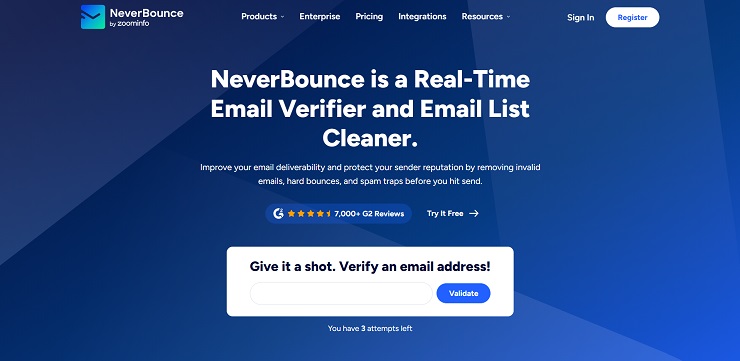
NeverBounce, now owned by ZoomInfo, is built for enterprise-grade verification volume with a focus on recurring automated list hygiene rather than one-off bulk cleans. Its parallel processing infrastructure handles 100,000-plus verifications per hour, and its Sync feature connects directly to 80-plus ESPs and CRMs to automatically clean lists on a recurring schedule without manual file exports. For enterprise marketing teams managing large, frequently refreshed contact databases, the automation layer is NeverBounce’s primary differentiator.
The verification process performs 20-plus steps on each address, checking it up to multiple times for accuracy. The classification system is granular, separating accept-all from unknown addresses and distinguishing multiple risk tiers rather than returning a simple valid/invalid binary. The Growth plan combines bulk verification with AI lead scoring, CRM auto-sync, and access to ZoomInfo’s data infrastructure, making it a strong choice for teams already operating within the ZoomInfo ecosystem where bundled pricing may apply.
One documented concern worth flagging: NeverBounce’s pricing page states that pay-as-you-go credits expire 12 months after purchase, while a separate ZoomInfo partnership page states they never expire. Both pages are currently live. Multiple verified reviews describe credits disappearing unexpectedly. Until this contradiction is formally resolved by NeverBounce, buyers purchasing large credit blocks should seek written confirmation of the expiry policy before committing.
Key Features of NeverBounce
- Sync feature for automated recurring list cleaning connected to 80-plus ESPs and CRMs
- Parallel processing at 100,000-plus verifications per hour
- Granular classification including accept-all, unknown, and multiple risk tiers
- Real-time verification API for form-level signup validation
- Deep CRM integration making it the strongest option for native Salesforce and HubSpot workflows
- ZoomInfo ecosystem bundling available for existing ZoomInfo customers
NeverBounce Pricing
Pay-as-you-go: $0.005 per email for lists up to 10,000 addresses ($50 total), dropping to approximately $0.004 per email at 100,000 addresses ($400 total) and further at enterprise volumes. Growth subscription: $49 per month for 10,000 verifications with AI scoring and CRM auto-sync. Credits are stated to expire 12 months after purchase on the main pricing page, though this policy is currently contradicted by the ZoomInfo partnership page as noted above.
Pros & Cons of NeverBounce
Pros:
- Automatic list cleaning via Sync eliminates manual upload/download cycles
- Processing speed of 100,000-plus verifications per hour suits enterprise senders
- Deep CRM integrations, particularly within the ZoomInfo and Salesforce ecosystems
- Growth plan adds meaningful features at a reasonable monthly price
Cons:
- Credits expire after 12 months on the standard pricing page, an important limitation for irregular senders
- Active contradiction between pricing page and ZoomInfo partnership page on credit expiry creates buyer uncertainty
- Trustpilot rating significantly lower than G2 rating, with multiple post-acquisition reviews citing support and billing issues
- Higher pricing per email than most alternatives in this comparison at all volume tiers
4. Bouncer
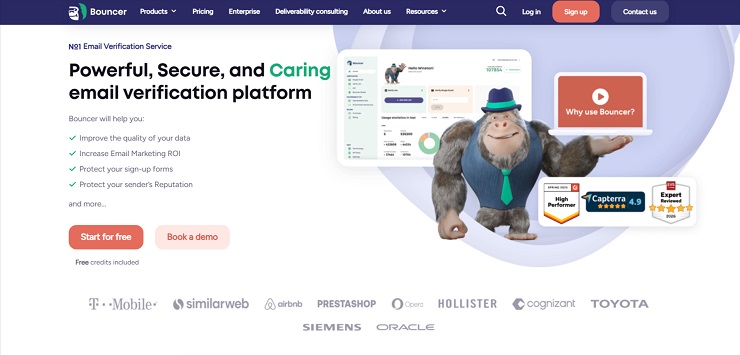
Bouncer is an EU-based email list cleaning platform with a genuine bias toward accuracy over speed, and it is one of the few services in this comparison where that commitment is backed by data rather than marketing copy. Its deep catch-all verification for Google Workspace and Office365 domains is particularly strong, producing unknown results in only 0.3% to 3% of verifications, compared to significantly higher unknown rates from several competitors. The platform processes up to 200,000 verifications per hour per customer, and all purchased credits never expire.
Bouncer includes a Toxicity Check that identifies email addresses associated with known complainers, bots, and fraudulent signups rather than just confirming whether an address exists. The Deliverability Kit tests inbox placement across major providers, verifies authentication records, and monitors blocklists. For teams that need both verification accuracy and basic deliverability monitoring without moving to a full suite like ZeroBounce, Bouncer provides a practical middle ground. It also automatically deletes all uploaded data after 60 days, making it the strongest option in this comparison for teams with strict GDPR and data retention requirements.
Bouncer offers the email list scrubbing services that serious email marketers need without bundling in features that inflate the price for buyers who only need their list cleaned.
Key Features of Bouncer
- Deep catch-all verification for Google Workspace and Office365 with the lowest unknown rate in the category (0.3% to 3%)
- Toxicity Check identifying high-risk senders, complainers, and fraudulent addresses
- Deliverability Kit with inbox placement testing and blocklist monitoring
- Processing speed up to 200,000 verifications per hour
- Credits never expire; unknown results and duplicates are not charged
- SOC2 ready with automatic data deletion after 60 days
- 50-plus integrations with major ESPs and marketing automation platforms
Bouncer Pricing
Pay-as-you-go only. Starts at $8 for 1,000 emails ($0.008 per email). At 10,000 emails: approximately $60. At 50,000 emails: approximately $250. At 100,000 emails: approximately $400. Credits never expire and are not consumed by unknown results or duplicates. Monthly subscription plans are also available at $48 per month for 10,000 verifications; $200 to $600 per month for 50,000 to 250,000 credits; and $1,000 per month for 500,000 credits. For teams with consistent monthly volumes, the subscription tiers offer better per-email economics than pay-as-you-go.
Pros & Cons of Bouncer
Pros:
- Best-in-class catch-all verification, particularly for Google Workspace and Office365
- Credits never expire; no charge for unknowns or duplicates
- Toxicity Check adds meaningful protection beyond standard validity checks
- Automatic 60-day data deletion supports GDPR compliance without manual effort
- SOC2 ready with EU data centres for European senders with data residency requirements
Cons:
- Processing is thorough but not the fastest; deep checks take longer than basic syntax-and-domain services
- Higher entry-level cost per email than budget alternatives like EmailListVerify or MillionVerifier
- Monthly subscription tiers become expensive for large-volume senders compared to DeBounce or MillionVerifier
5. Emailable
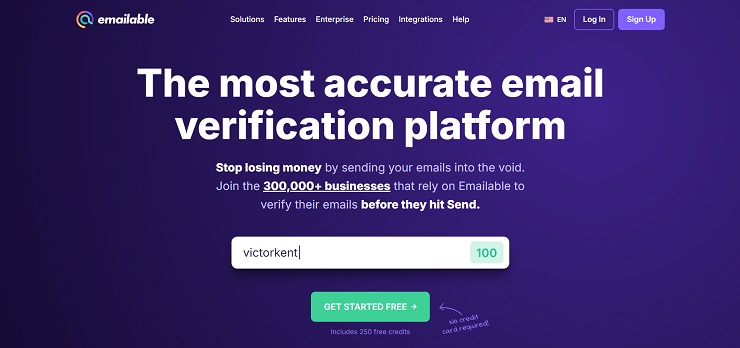
Emailable positions itself as a top contender in the list of best email list cleaning service for teams that prioritise speed and simplicity alongside high accuracy. Originally launched as TheChecker before rebranding in 2021, the platform retained its core verification engine while adding a significantly cleaner interface and an expanded API. The result is one of the most straightforward verification experiences in the category: upload your list, receive results in clear categories, export what you need.
Emailable’s processing speed is among the highest in this comparison for bulk lists. A 50,000-email file typically completes within 30 to 60 minutes. The API is well-documented and is frequently cited by developers as one of the easier verification APIs to integrate cleanly into existing workflows. With 50-plus integrations covering all major ESPs, CRMs, and automation platforms, Emailable connects to most marketing stacks without custom development.
Credits never expire on pay-as-you-go plans, and monthly plans include rollover credits. The one friction point worth noting is the 5,000-credit minimum purchase on pay-as-you-go, which means teams needing to verify a small one-off list of 500 addresses are still paying for 5,000 credits. For teams with lists in the 5,000-plus range cleaning on any regular basis, this is not a practical constraint, but it is worth knowing before purchasing.
Key Features of Emailable
- Fast bulk processing with 50,000-email lists typically completed in under an hour
- 50-plus integrations with ESPs, CRMs, and automation platforms including HubSpot, Mailchimp, Klaviyo, and Salesforce
- Well-documented REST API suitable for both bulk and real-time verification workflows
- Clear result categories: deliverable, undeliverable, and risky (covering catch-all, disposable, and role-based)
- 99% claimed accuracy (independent testing places real-world performance at approximately 95% to 96%)
- Credits never expire on pay-as-you-go plans
- WordPress plugin for real-time form verification available
Emailable Pricing
Pay-as-you-go: 5,000 credits from $38. Per-email cost decreases with volume, reaching approximately $0.0021 per email at 1,000,000 credits. Monthly plans available from $32.30 per month for 5,000 credits. Credits never expire on pay-as-you-go and roll over on monthly plans. Minimum purchase is 5,000 credits.
Pros & Cons of Emailable
Pros:
- Fast processing for bulk lists relative to most competitors
- Credits never expire on pay-as-you-go; monthly plans include rollover
- 50-plus integrations with clean, well-documented API
- Simple, low-friction interface
- 250 free credits on signup for testing before commitment
Cons:
- 5,000-credit minimum purchase is a barrier for very small one-off cleans
- 30-day download window on verified results; exports must be downloaded within 30 days of job completion
- Real-world accuracy in independent benchmarks sits at approximately 95% to 96%, below the marketed 99% figure
- No built-in deliverability monitoring or blocklist scanning
6. MailerCheck
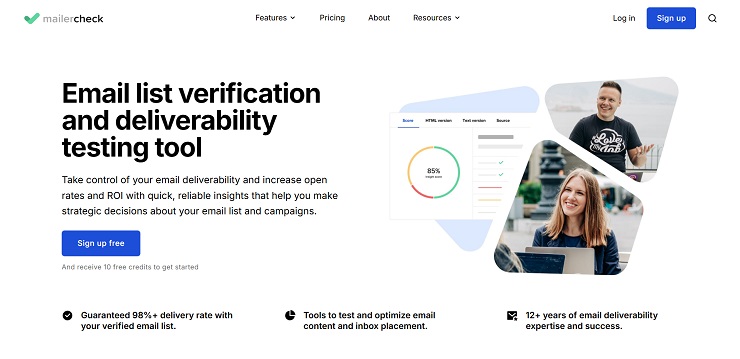
MailerCheck is a premier email list cleaning service built by the MailerLite team, which brings a notable advantage for the large base of MailerLite users: direct SSO integration that allows importing subscriber groups or segments, verifying them, and exporting results back as a new group with a MailerCheck result field on each subscriber. That workflow is unique in this comparison and removes the manual export/import cycle entirely for MailerLite customers. Outside the MailerLite ecosystem, MailerCheck is a solid pay-as-you-go verifier with competitive tiered pricing and credits that never expire.
Beyond bulk verification, MailerCheck has expanded into a broader deliverability toolkit that includes inbox placement testing across major mailbox providers, DMARC monitoring, blocklist monitoring, and email content analysis (called Email Insights). The $0.01 per email entry price is matched by ZeroBounce at the base tier, but MailerCheck’s volume discounts bring the per-email cost down to $0.006 at the 50,000 to 100,000 range, which is competitive with Clearout and more affordable than ZeroBounce or NeverBounce at the same volumes.
Key Features of MailerCheck
- Direct MailerLite SSO integration with group-level import and export
- Inbox placement testing, DMARC monitoring, and blocklist monitoring included
- Email Insights content and spam checks before sending
- Real-time verification API for form-level validation
- Detailed verification status codes including catch-all, disposable, role-based, mailbox full, syntax error, and typo flags
- Credits never expire; no commitment required
MailerCheck Pricing
Pay-as-you-go with volume-tiered pricing. Confirmed tiers: 1,000 to 4,999 credits at $0.01 per credit; 5,000 to 9,999 at $0.009; 10,000 to 24,999 at $0.008; 25,000 to 49,999 at $0.007; 50,000 to 99,999 at $0.006. This means 5,000 credits cost $50, 10,000 cost $80, 50,000 cost $300, and 100,000 cost $500. Credits never expire. All new accounts receive 10 free credits.
Pros & Cons of MailerCheck
Pros –
- MailerLite SSO integration removes the manual upload/download cycle for MailerLite users
- Deliverability toolkit adds inbox placement and DMARC monitoring alongside verification
- Volume discounts bring cost to a competitive $0.006 per email at higher tiers
- Credits never expire; no subscription required
- 24/7 customer support
Cons –
- At 10,000 to 50,000 volume tiers, MailerCheck is more expensive than EmailListVerify, Clearout, and MillionVerifier
- Relatively small review base compared to ZeroBounce, NeverBounce, and Bouncer
- Some users report over-invalidation, flagging addresses as invalid that verified correctly with other tools
- Native integration advantage applies specifically to MailerLite; outside that platform, integration depth is not materially better than alternatives
7. EmailListVerify
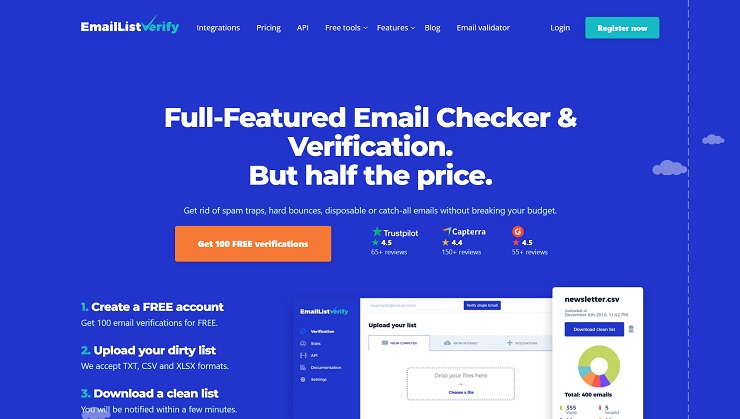
EmailListVerify positions itself as one of the best email scrubbing services for budget-conscious senders who need solid accuracy without enterprise-tier pricing. It is consistently ranked among the highest-accuracy tools in its price tier in independent testing, and at $5 for 1,000 credits it has one of the lowest entry prices in the entire category. For teams cleaning large lists on a limited budget, the per-email cost at 100,000 addresses ($186, or $0.00186 per email) makes it one of the most economical choices at scale.
The platform runs eight distinct verification checks on each address: SMTP validation, spam trap detection, catch-all domain identification, MX record lookup, syntax validation, hard bounce detection, disposable email filtering, and duplicate removal. It also provides a quality score from 0 to 100 for each address, which is a useful additional data point for senders who want to prioritise their most deliverable contacts rather than simply suppress their invalids. Integration with Mailchimp, ActiveCampaign, HubSpot, and other major platforms is available, as is a real-time API.
One documented limitation: EmailListVerify’s catch-all detection is less sophisticated than premium services. Addresses on catch-all domains are flagged but not always reliably classified, which is a meaningful gap for B2B senders whose lists include corporate domains configured to accept all incoming mail. For consumer-focused senders and marketers working with standard Gmail, Yahoo, and Outlook lists, this limitation is less relevant.
Key Features of EmailListVerify
- Eight-check verification process covering SMTP, spam traps, catch-all detection, MX records, syntax, hard bounces, disposable emails, and duplicates
- Per-address quality score from 0 to 100 for prioritisation beyond simple valid/invalid classification
- Greylisting detection to reduce false invalids from temporarily blocked servers
- Bulk deduplication across multiple lists at no extra cost
- Real-time verification API for Python, Ruby, PHP, and C# with sample code available
- Free email health checker, inbox placement test, and blacklist checker included
EmailListVerify Pricing
Pay-as-you-go credits never expire. Starts at $5 for 1,000 credits ($0.005 per email). At 10,000 credits: $27 ($0.0027 per email). At 100,000 credits: $186 ($0.00186 per email). Monthly subscription also available from $16 per month for 5,000 credits. New accounts receive 100 free verification credits with no credit card required. Deep Scan recovery for difficult-to-classify addresses consumes additional credits per address; factor this in when estimating costs on complex B2B lists.
Pros & Cons of EmailListVerify
Pros:
- One of the lowest per-email costs in the category at all volume tiers
- Credits never expire; no monthly commitment required
- Per-address quality score adds decision-making data beyond basic classification
- Greylisting detection reduces false invalids from temporarily blocked servers
- Bulk deduplication across multiple lists included at no extra cost
Cons:
- Catch-all detection is less sophisticated than ZeroBounce, Bouncer, or Clearout
- Deep Scan recovery for difficult addresses consumes additional credits, increasing effective cost on B2B lists
- Smaller integration library compared to ZeroBounce and NeverBounce
- Some user reviews report accuracy falling below the claimed 99% on lists with high proportions of corporate or catch-all domains
8. Clearout
Clearout is an AI-enhanced email list cleaning service that combines 20-plus validation checks with machine learning detection for emerging disposable domains and evolving spam patterns. Its accuracy is marketed at 99% with a 97% deliverability guarantee covering the Safe-to-Send result tier, and the platform conducts ongoing AI-driven monitoring to improve detection of new threat categories as they emerge. For teams working in CRM-heavy environments, Clearout’s integrations include HubSpot, Apollo, Lemlist, ActiveCampaign, and a LinkedIn Chrome extension for prospecting, making it one of the broadest integration ecosystems in this comparison at its price point.
Clearout offers pay-as-you-go credits that never expire, alongside monthly and annual subscription plans. Its catch-all resolution capability is notably strong: rather than labelling all catch-all domains as risky, Clearout’s advanced catch-all resolver identifies the valid addresses within catch-all domains rather than defaulting all of them to uncertain. For B2B senders targeting corporate domains, this translates directly into a larger usable contact pool per verified list. If you are looking for the best email cleaning service that balances AI-powered accuracy with competitive pricing at scale, Clearout deserves serious consideration alongside the premium-tier tools.

Key Features of Clearout
- 20-plus validation checks with AI-driven pattern detection for new disposable and risky domain types
- Advanced catch-all resolver identifying deliverable addresses within catch-all domains
- Anti-greylisting support for accurate classification of temporarily blocked mail servers
- GDPR compliant, SOC 2 Type II certified, and ISO certified
- LinkedIn Chrome extension for building verified prospect lists directly from LinkedIn profiles
- Email Finder tool with pre-verified results
- Free duplicate removal; unknown results not billed
- 100 free credits on signup with no credit card required
Clearout Pricing
Pay-as-you-go: Starts at $40 for 5,000 credits. At 10,000 credits: $65. At 100,000 credits: $400. At 1,000,000 credits: $1,100. Credits never expire on standard purchases. Verification results flagged as unknown are not billed. Monthly subscription plans also available with credit rollover. Annual subscriptions are available at a discount. For enterprise teams verifying more than 20,000,000 addresses, customised pricing is available directly from Clearout.
Pros & Cons of Clearout
Pros:
- Advanced AI-enhanced verification with ongoing pattern detection
- Catch-all resolver significantly reduces the risky/uncertain pool on B2B lists
- SOC 2 and ISO certified, the strongest compliance credentials in this comparison
- Unknown results free; credits never expire on pay-as-you-go purchases
- Broadest CRM and prospecting integration ecosystem at this price point
Cons:
- Deliverability guarantee has a 24-hour window: emails must be sent within 24 hours of verification to be covered
- Educational and institutional domains (.edu) and Yahoo/AOL addresses are excluded from the 97% guarantee
- Entry-level pricing at $40 for 5,000 credits is less flexible than tools that start from 1,000-address purchases
- LinkedIn extension and Email Finder features overlap with dedicated prospecting tools, which some users do not need
9. MillionVerifier
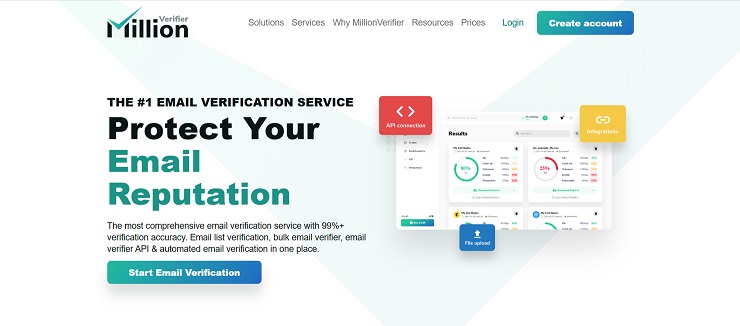
MillionVerifier is the budget benchmark for this category. At $37 for 10,000 verifications and $129 for 100,000, it undercuts every other service in this comparison on per-email cost at high volumes. For teams that clean lists regularly and need straightforward valid/invalid/risky/unknown classifications without AI scoring, engagement data, or deliverability monitoring, MillionVerifier’s pricing makes it one of the most economical choices available.
The platform processes bulk uploads and returns results in four clean categories. It does not charge for catch-all or unknown results, which meaningfully reduces the effective cost on B2B lists where 20% to 30% of addresses sit on catch-all domains. Credits never expire. EverClean, MillionVerifier’s automated daily list hygiene product, connects to major ESPs and runs continuous verification without manual uploads, available as a separate monthly subscription from approximately $15 per month.
Two limitations are worth stating clearly. MillionVerifier’s catch-all detection is less sophisticated than Bouncer, ZeroBounce, or Clearout. For senders whose lists are weighted toward enterprise corporate domains, the accuracy gap compared to premium tools can be meaningful. Several users have also reported support response time as a weakness, and there are documented incidents of processing delays on large lists. For low-cost bulk cleaning where speed and support are not the priority, MillionVerifier delivers on its core promise. For mission-critical campaigns where one accuracy miss carries significant cost, the premium alternatives earn their higher price.
Key Features of MillionVerifier
- Pay-as-you-go with no monthly subscription and no credit expiry
- Four clean result categories: Good, Risky, Bad, Unknown
- No charge for catch-all or unknown results
- EverClean automated daily list hygiene via ESP integration (separate subscription from $15 per month)
- 100% money-back guarantee if hard bounce rate exceeds 4% after verification
- Free EmailAcademy PRO access including blacklist monitoring and inbox testing
- Real-time single and bulk API available
MillionVerifier Pricing
No monthly subscription. Credits never expire. 10,000 credits: $39. 100,000 credits: $149. 1,000,000 credits: $449. This makes MillionVerifier a decent cost-effective email list cleaning service for high-volume senders in this comparison on a pure per-email basis. Auto top-up earns a 10% credit bonus on each purchase. The MillionVerifier pricing structure is the most competitive in this category for any team cleaning lists of 250,000 or more on a regular basis.
Pros & Cons of MillionVerifier
Pros:
- Lowest per-email cost in the comparison at all volume tiers
- Credits never expire; no monthly commitment
- No charge for catch-all or unknown results
- EverClean automated hygiene available as low-cost add-on
- 100% money-back guarantee if post-verification bounce rate exceeds threshold
Cons:
- Minimum 10,000 credits has to be purchased, no lower tiers
- Catch-all domain detection less sophisticated than premium alternatives
- Support response times receive mixed reviews, with documented delays on large list processing
- No AI scoring, engagement data, or advanced deliverability monitoring tools
- Occasional platform downtime has been noted in user reviews
- Less suitable for enterprise B2B senders with heavy catch-all domain exposure
10. Snov.io
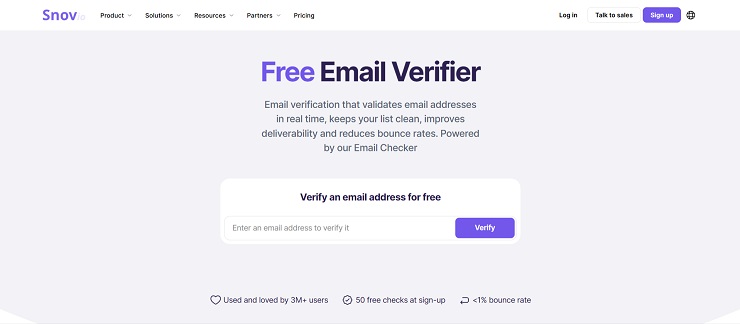
Snov.io is not a dedicated email list cleaning service in the same category as the other tools reviewed here. It is a full outbound sales platform that combines email finding, seven-tier email verification, drip campaign automation, email warmup, LinkedIn automation, and a built-in CRM in a single subscription. Its place in this review is justified for sales teams that need email verification as part of a broader outreach workflow rather than as a standalone list hygiene function.
The verification capability is solid and covers syntax validation, domain checks, SMTP verification, catch-all detection, and disposable email filtering. However, the important distinction for buyers evaluating Snov.io for list cleaning purposes is that verification and email finding share the same credit pool. A team using Snov.io purely for list verification is paying for features they do not need, and the per-credit cost ($0.039 on the Starter plan) is significantly higher than every dedicated email list cleaning service in this comparison. Snov.io earns its pricing for teams that use the full platform; it does not represent good value as a pure email scrubbing service.
Unused credits roll over while the subscription is active but are lost on cancellation. LinkedIn automation is not included in any plan and is charged as an add-on at $69 per month per account.
Key Features of Snov.io
- Seven-tier email verification covering syntax, domain, SMTP, catch-all, and disposable detection
- Email finder for locating contacts by name and domain
- Automated drip campaign sequencer with unlimited follow-ups
- Email warmup included on all paid plans
- Built-in sales CRM with deal tracking and pipeline management
- LinkedIn automation available as add-on at $69 per month per slot
- 40-plus native integrations including HubSpot, Pipedrive, Calendly, and Zapier
Snov.io Pricing
Subscription-based only. Trial plan: free with 50 credits per month and 100 recipients. Starter: $39 per month ($29.25 per month annual) for 1,000 credits and 5,000 recipients. Pro S: $99 per month ($74.25 annual) for 5,000 credits and 25,000 recipients. Pro M: $189 per month for 20,000 credits. Pro L: $369 per month for 50,000 credits. Credits are shared between email finding and verification: finding one email and verifying it costs 2 credits. Unused credits roll over while subscription is active and expire on cancellation.
Pros & Cons of Snov.io
Pros:
- All-in-one platform for teams that need finding, verification, and outreach in one tool
- Unlimited team seats on all plans, a genuine advantage over per-seat alternatives
- Email warmup included at no extra charge on all paid plans
- Credits roll over while subscription is active
Cons:
- Significantly higher per-credit cost than every dedicated email list cleaning service in this comparison
- Credits shared between finding and verifying reduces the effective verification volume on all plans
- LinkedIn automation not included; $69 per account per month add-on increases real total cost substantially
- Not a suitable choice for teams that only need bulk list verification
- Credits expire on subscription cancellation
11. DeBounce
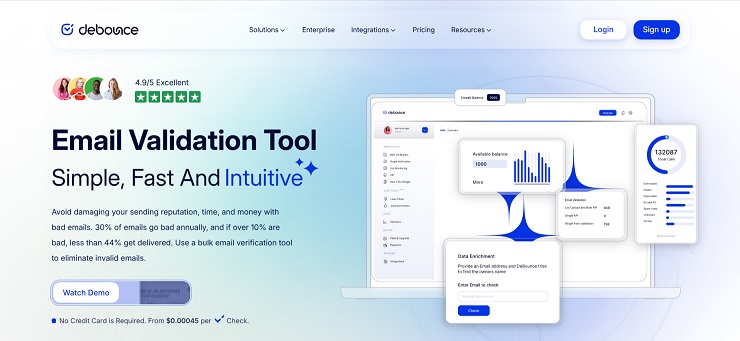
DeBounce is a practical, affordable email list cleaning platform built for small to mid-size teams that want reliable list cleaning without the complexity or pricing of enterprise tools. Its core differentiator is automated daily list monitoring: once connected to your ESP or CRM, DeBounce validates your lists every day and syncs the results back without manual uploads, keeping your bounce rate near zero without any ongoing intervention. This is the only service in this comparison that includes automated daily cleaning as a standard feature rather than a separate premium subscription.
The verification engine combines DNS and MX checks, SMTP and mailbox verification, catch-all analysis, disposable email detection, typo correction, and anti-greylisting technology to minimise unknown results. Results are categorised into a “Safe to Send” scoring system that distils all checks into a clear binary decision, which is particularly useful for teams who want simple action guidance rather than detailed technical classifications. Credits never expire, and all plans include full feature access including the API, list monitoring, and integrations.
DeBounce integrates with 115-plus ESPs and CRMs, one of the broadest integration ecosystems in this comparison at its price point. User reviews consistently praise its ease of use, transparent pricing, and responsive support. The primary limitations are processing speed on very large lists (a 50,000-email file can take several hours on peak-load days) and spam and temporary email detection, which several users describe as less thorough than premium services.
Key Features of DeBounce
- Automated daily list monitoring synced to ESP or CRM with no manual uploads required
- “Safe to Send” scoring distilling multi-factor verification into a clear binary recommendation
- Anti-greylisting technology to reduce unknown results from temporarily blocked servers
- Bulk list upload, real-time API, and JavaScript widget for form-level validation
- Lead Finder tool for discovering valid addresses by name and company domain
- Data enrichment via reverse email lookup
- Free deduplication on all lists
- 115-plus integrations and credits that never expire
DeBounce Pricing
Pay-as-you-go with no monthly commitment. Credits never expire. 5,000 credits: $15. 50,000 credits: $75. 100,000 credits: $135. 1,000,000 credits: $750. New accounts receive 100 free credits with no credit card required. DeBounce is another affordable service in this comparison alongside MailCleanup for teams cleaning at the 50,000 to 100,000-address range.
Pros & Cons of DeBounce
Pros:
- Automated daily list monitoring as a standard feature, not a paid add-on
- Credits never expire; all features included at every plan level
- Among the lowest per-email costs in the comparison at all volume tiers
- 115-plus integrations for connecting to existing email marketing and CRM stacks
- “Safe to Send” scoring simplifies decision-making for non-technical users
Cons:
- Processing speed on large lists can be slow; 50,000-email files can take several hours
- Spam and temporary email detection is weaker than premium services based on user reviews
- API functionality is more limited than ZeroBounce, Bouncer, and Kickbox for developers needing advanced API controls
- Small team with lean support; founded 2018 with fewer resources than established competitors
12. Kickbox
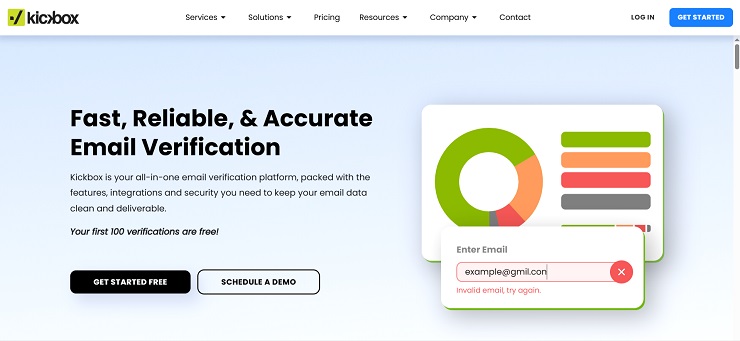
Kickbox is the developer-first premium verification tool in this comparison, built around the philosophy that the best list cleaning result comes from knowing not just whether an address is technically valid but how likely it is to deliver successfully in practice. Its proprietary Sendex Score assigns a quality rating to every deliverable address, creating a graduated risk scale that tells you which valid addresses are genuinely safe to send to and which carry real-world deliverability risk despite passing standard SMTP verification. This is especially valuable for B2B senders whose lists include corporate domains, where the gap between “technically deliverable” and “actually reaches an inbox” is wider than on consumer email lists.
The interface is frequently cited as the cleanest in the category. Uploading a file, reviewing results, and exporting a cleaned list takes minutes with no learning curve. The real-time API is well-documented with official SDKs and examples, and the 25-plus native integrations include direct connections to HubSpot, Klaviyo, Mailchimp, SendGrid, Braze, and Iterable. Over 150,000 senders trust Kickbox, and the platform holds a 4.5-out-of-5 rating on G2 from 573 reviews, with ease of use and integration quality as the two most cited strengths.
The main considerations for buyers are cost and credit expiry. Kickbox is the most expensive service in this comparison on a per-email basis, and its credits expire after 12 months. At 100,000 verifications, the $800 cost is over six times higher than MillionVerifier and nearly double the cost of Bouncer. For teams cleaning lists occasionally at under 50,000 addresses with strong ESP integration requirements and a preference for simple, premium-quality tooling, Kickbox delivers genuine value. For high-volume senders where cost efficiency matters, the per-email premium is difficult to justify.
Key Features of Kickbox
- Proprietary Sendex Score providing a quality rating for every deliverable address beyond binary valid/invalid
- 25-plus native integrations with major ESPs and CRMs
- Unknown results not charged against credit balance
- Real-time API with well-documented SDKs and clean implementation guides
- SOC 2 and GDPR compliant
- Deliverability consulting available from the Kickbox expert team for audit and strategy work
- 100 free verifications on signup
Kickbox Pricing
Pay-as-you-go. 500 verifications: $5 ($0.01 per email). 10,000 verifications: $100. 100,000 verifications: $800. 1,000,000 verifications: $4,000. Unknown results do not consume credits. Credits expire after 12 months from purchase. Monthly plan available at $159 per month for 50,000 verifications. Enterprise pricing available for custom volumes.
Pros & Cons of Kickbox
Pros:
- Sendex Score adds meaningful quality signal beyond standard valid/invalid classification
- Cleanest UI in the category with minimal learning curve
- 25-plus native integrations, particularly strong for HubSpot, Klaviyo, and Mailchimp
- Unknown results not charged
- SOC 2 and GDPR compliant; strong compliance credentials for enterprise procurement
Cons:
- Most expensive service in this comparison on a per-email basis at all volume tiers
- Credits expire after 12 months, creating budget pressure for irregular senders
- Deliverability suite discontinued in 2024; platform now focused on core verification only
- Some users report “risky” labels appearing without a reason or explanation behind the classification
- Not cost-effective for teams cleaning more than 50,000 emails per clean at regular frequency
Which Is the Best Email List Cleaning Service for Your Situation?
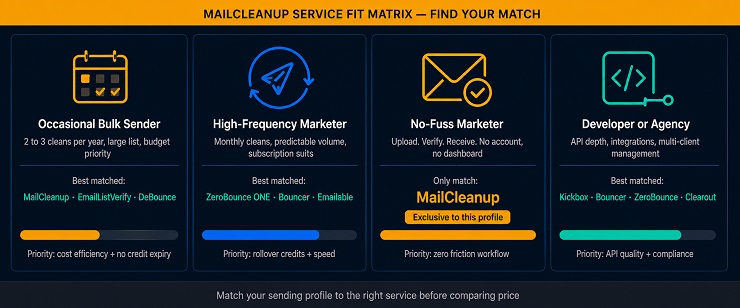
No single service wins across every use case in this comparison. The best email list cleaning service for a solo marketer cleaning a 10,000-email list once per quarter is a different tool from the best email list cleaning service for a developer integrating real-time verification into a SaaS signup form, or for an enterprise marketing team running automated daily list hygiene across a database of 500,000 contacts. The MailCleanup Service Fit Matrix below maps four common sender profiles to the services best matched to each situation so you can move from this review to a decision.
The MailCleanup Service Fit Matrix
Profile 1: The Occasional Bulk Sender
You clean your list two or three times per year, typically before a major campaign. Your list is between 10,000 and 500,000 addresses. Cost efficiency matters more than feature depth, and you do not want a subscription you will not use in the months between cleaning runs.
Best matched services: MailCleanup, EmailListVerify, MillionVerifier, DeBounce.
MailCleanup is the strongest fit for this profile because it requires no account, no subscription, and no ongoing management. EmailListVerify and MillionVerifier are the best alternatives at very high volumes where per-email cost becomes the primary decision factor. DeBounce adds automated daily monitoring as a bonus if you want passive hygiene between manual cleans. All four offer credits that never expire, which is essential for irregular senders who would otherwise be penalised by expiry policies at ZeroBounce ONE, NeverBounce, or Kickbox.
Profile 2: The High-Frequency Marketer
You send email campaigns weekly or fortnightly and clean your list monthly or with every new import. You have a predictable monthly volume and are comfortable with a subscription model if the economics work. Turnaround speed matters because you clean close to campaign send dates.
Best matched services: ZeroBounce ONE, Bouncer monthly plan, Emailable monthly plan.
ZeroBounce ONE at $99 per month is the strongest fit if you also want the bundled deliverability toolkit: inbox placement testing, blocklist monitoring, and DMARC coverage alongside verification. Bouncer’s monthly Apprentice plan at $50 per month for 10,000 verifications is the better value if you only need verification without the suite. Emailable is the fastest bulk processor in this group and suits teams where turnaround speed is the primary concern. All three offer credit rollover, so a lighter month does not waste your allocation.
Profile 3: The No-Fuss Marketer
You need to clean a list, receive your results, and move on. You do not want to create an account, learn a new dashboard, or manage ongoing settings. You clean infrequently enough that paying for a subscription makes no sense. Simplicity and low overhead are the deciding factors.
Best matched services: MailCleanup.
This is MailCleanup’s defining use case. No other service reviewed here delivers a cleaned list to your inbox without requiring an account. There is no portal to log into, no settings to configure, no subscription to monitor. Upload your file and the email list cleaning service handles the rest. For the No-Fuss Marketer, any other service in this comparison adds friction that does not add value.
Profile 4: The Developer or Agency
You need a well-documented API for real-time verification at the point of form submission, or you manage email verification across multiple client accounts and need programmatic control. Integration depth and API reliability matter as much as accuracy.
Best matched services: Kickbox, Bouncer, ZeroBounce, Clearout.
Kickbox is the strongest fit for developer-first teams who want the cleanest API documentation, the broadest native integrations, and a quality signal beyond basic valid/invalid through the Sendex Score. Bouncer is the strongest fit for teams with GDPR and data residency requirements, particularly European agencies. ZeroBounce suits developers who need both real-time and bulk verification with the widest platform integration ecosystem. Clearout is the best choice for agencies that also need prospecting capability and LinkedIn Chrome extension access alongside list cleaning.
Verdict
For pure bulk email list cleaning without complexity, overhead, or unnecessary cost, MailCleanup is the clearest choice for most senders in this review. It is the only service that requires no account, delivers results directly to your inbox, and focuses entirely on doing one thing well: returning a verified, clean list. For teams who need the full deliverability suite, ZeroBounce ONE is the most comprehensive option at a price that is now more competitive than their previous subscription structure. For budget-conscious high-volume senders, MillionVerifier and DeBounce offer the best per-email economics without credit expiry. For teams where integration quality and developer experience are the priority, Kickbox and Bouncer are the strongest options in their respective segments.
Whatever service you choose, the decision matters less than actually making it and cleaning before every major send.
Your Sender Reputation Is Only as Strong as the List Behind It. Choose Accordingly.
Every bounce your next campaign generates is a signal your infrastructure did not earn. Inbox providers do not distinguish between an oversight and a pattern; they track cumulative sending behaviour, and a list that has not been cleaned accumulates risk quietly until a campaign exposes it all at once. The email list cleaning services reviewed here exist to prevent that outcome.
The twelve tools in this post cover every budget, use case, and technical requirement in the category. If your priority is simplicity and cost efficiency with no account overhead, MailCleanup handles the entire process with a file upload and an email. If your priority is the most comprehensive deliverability programme available under one subscription, ZeroBounce ONE is built for that. If you need the lowest per-email cost at scale, MillionVerifier and DeBounce are the benchmarks. If integration quality and developer experience matter more than price, Kickbox and Bouncer are the tools worth your attention.
What unites all twelve services is the problem they solve. A clean list is not a technical nicety. It is the foundation that every other investment in your email programme builds on: your copy, your design, your segmentation, your sending infrastructure. None of those investments deliver their full return if the addresses receiving them cannot or will not respond. Cleaning your list before you send is not a step you can defer indefinitely without cost. The cost just arrives later, and it is higher.
For the full picture on maintaining your sender reputation between cleaning runs, see our guide to email list hygiene and how to clean your email list effectively. For a deeper look at what goes wrong when lists go unmanaged, the post on email bounce management covers the mechanics and the remediation steps in detail.
When you are ready to clean your list, MailCleanup is available now. Upload your file and your cleaned list will be in your inbox.
FAQs on Email List Cleaners & Email List Cleaning Process
What is email list cleaning?
Email list cleaning is the process of removing invalid, inactive, disposable, and risky email addresses from your subscriber database before sending campaigns. A verification pass identifies hard bounces in advance, flags spam traps, and removes addresses that cannot receive mail, protecting your sender reputation and improving inbox placement. Most email cleaners complete this process in under an hour for lists of up to 100,000 addresses.
Why is email list cleaning important?
A dirty list directly damages your sender reputation. Inbox providers like Gmail and Outlook track bounce rates, spam complaints, and engagement signals at the domain level. When your bounce rate climbs above 2%, those providers begin routing your messages to spam folders across all recipients, not just the bad addresses. Regular email list cleaning keeps your programme in the safe zone and protects the deliverability of every campaign you send.
How often should I clean my email list?
At minimum, before every major campaign and every six months as a baseline hygiene pass. More frequently if your bounce rate is above 2%, your open rates are declining without a content change, or you have recently imported addresses from an external source. Lists imported from tradeshows, lead forms, or third-party acquisitions should always be cleaned before any email is sent to them.
Can email list cleaning services integrate with my email marketing software?
Most can. ZeroBounce, NeverBounce, Bouncer, Emailable, Clearout, MailerCheck, DeBounce, and Kickbox all offer native integrations with major ESPs including Mailchimp, HubSpot, Klaviyo, ActiveCampaign, and Salesforce. MailCleanup delivers results by email as a downloadable file, which imports cleanly into any ESP. If tight ESP integration is a priority, Bouncer and ZeroBounce have the broadest native integration libraries in the category.
Will email list cleaning affect my open rates?
Yes, positively. Removing invalid and inactive addresses reduces your denominator without reducing your engaged recipients. The result is a higher calculated open rate and stronger engagement signals that inbox providers use to determine your sending reputation. Teams consistently report open rate improvements of 15% to 25% after a thorough cleaning email list pass, depending on how much decay had accumulated in the database.
What is the difference between a bulk email list cleaning service and a real-time email verification API?
A bulk email list cleaning service processes an uploaded file of existing addresses and returns a cleaned version of that list. It is used before campaigns on addresses you already hold. A real-time API validates each address at the point of entry, such as a signup form, stopping bad addresses before they enter your database. Most services offer both, but they serve different stages of the list quality problem. MailCleanup specialises in bulk cleaning; tools like Bouncer, Kickbox, and ZeroBounce offer both in the same platform.
Can email list cleaning help in avoiding spam traps?
Absolutely. Spam trap removal is one of the core functions of every reputable email list cleaning service in this comparison. Spam traps are addresses maintained by inbox providers and anti-spam organisations specifically to identify senders with poor list quality. Hitting even one spam trap signals to inbox providers that your acquisition practices are problematic, and the resulting deliverability damage can take months to reverse. A verification pass removes known spam traps before your campaign reaches the sending stage.
Is my data secure when using an email list cleaning service?
Reputable email list cleaning software uses SSL encryption for all file transfers and follows strict data retention and deletion policies. Bouncer automatically deletes all uploaded data after 60 days. Clearout is SOC 2 Type II and ISO certified. ZeroBounce, NeverBounce, Kickbox, and MailerCheck are GDPR compliant. Before uploading your customer database to any service, review their data processing agreement and confirm their GDPR compliance status, particularly if your subscribers are located in the EU or UK.